8
IV. Quick Guide for First-time User
IV.1. TV Watching
Step 1: Turn on the unit
(Power switch is on the right side of the unit)
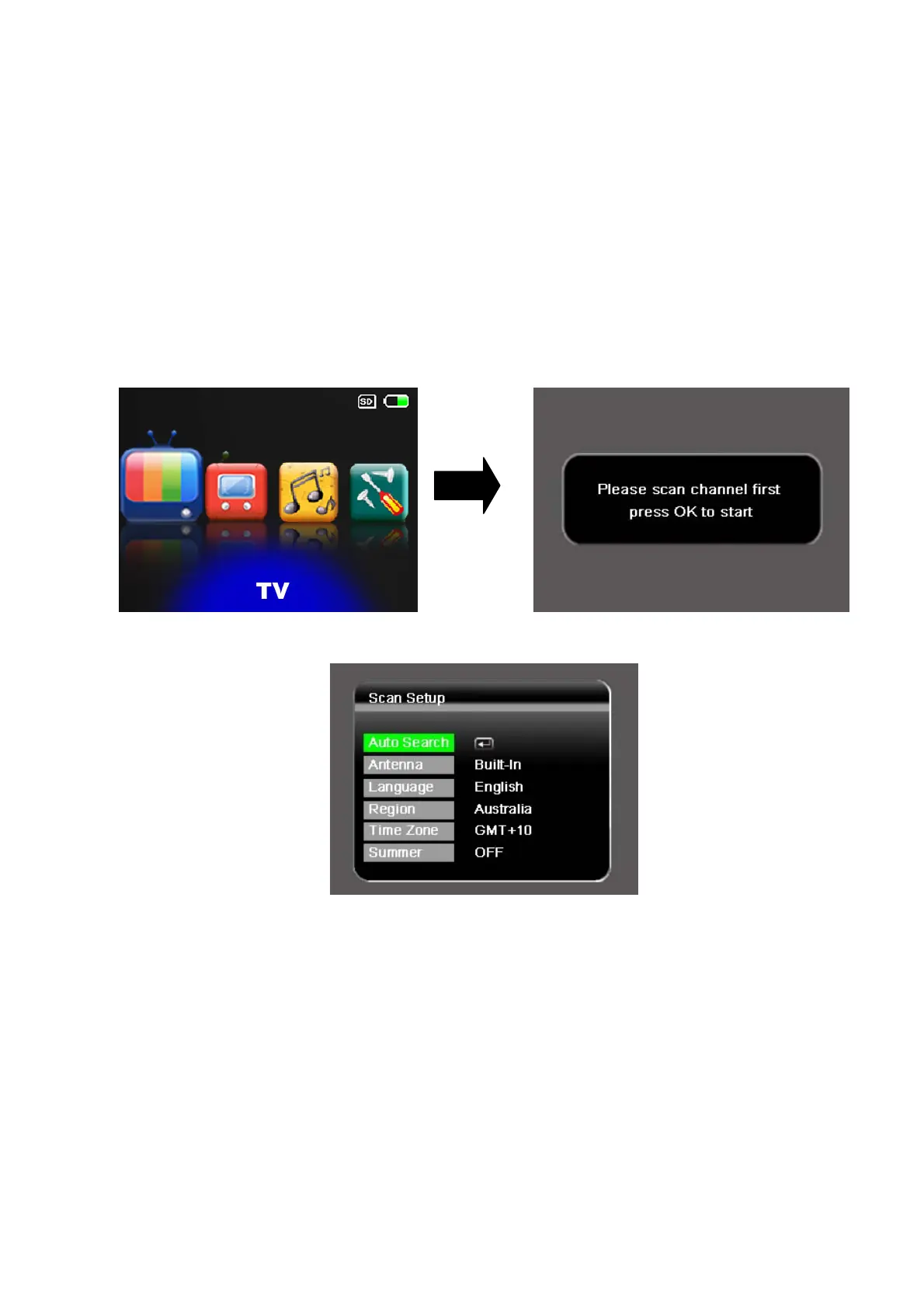
Step 2: Press [VOL+]/[VOL-] buttons to select “TV” option and press
[OK] button to enter the TV mode.
Step 3: Press [OK] button to enter the scan setup.
Step 4: Select your own OSD Language, your located region, whether it’s
summer time at present.
1. Use [CH+]/[CH-] buttons to highlight the item.
2. Use [VOL+] button to set the highlight item.
3. Press [CH+]/[CH-] buttons to scroll up and down the options.
4. Select one by pressing the [OK] button or exit the setting by pressing
the [MENU] button.
NOTE: Time zone setting will be automatically updated once the Region
setting is changed.



 To Next Page