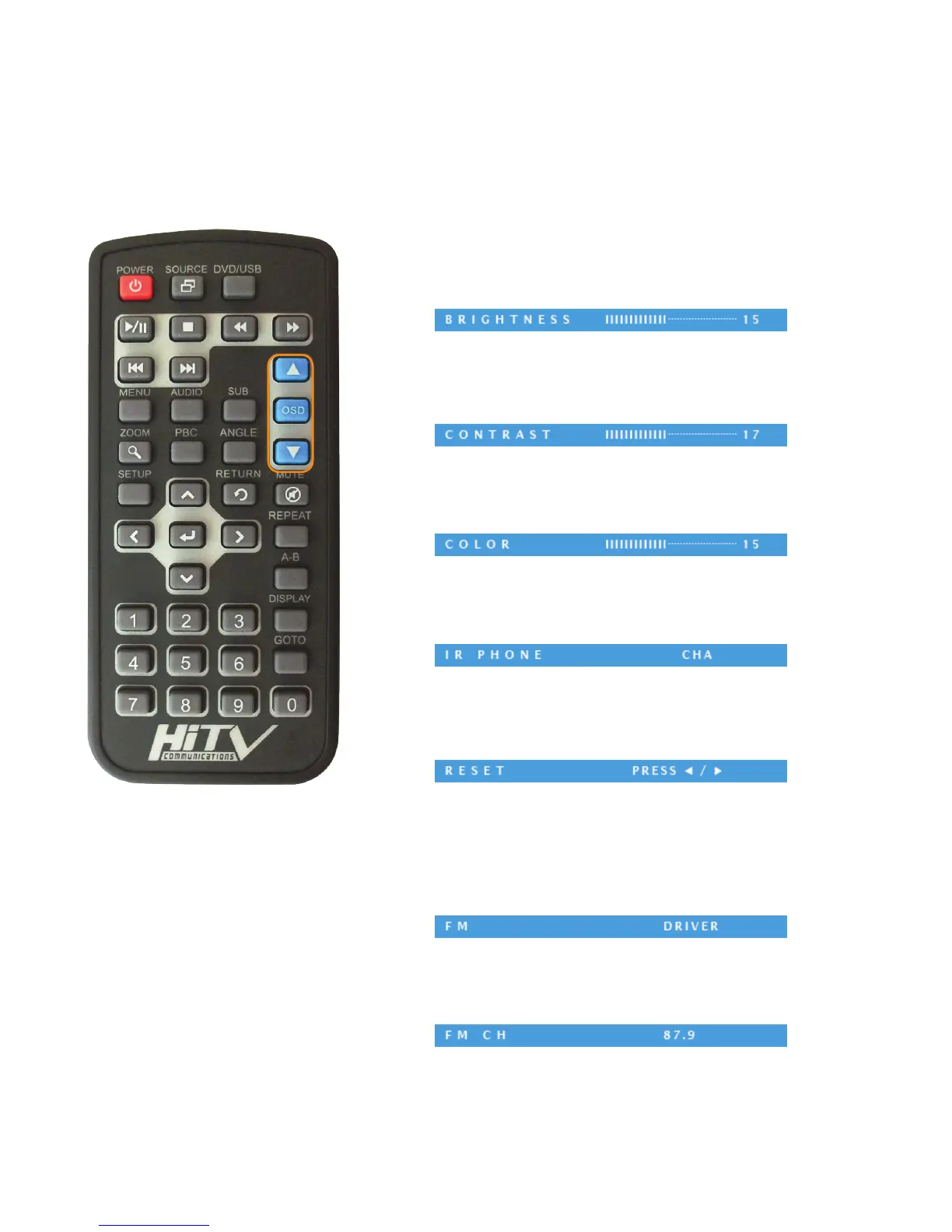
OSD (On Screen Display) Function Control
OSD MENU
Press OSD key on remote control to enter OSD menu, then select item in the menu by press-
ing OSD key. Use the up and down buttons to change the value.
Exit OSD MENU
Wait for few seconds to exit the OSD menu.
BRIGHTNESS
Adjust BRIGHTNESS value from 0-30(Default:15) by
pressing▲for increment or▼for decrement.
CONTRAST
Adjust CONTRAST value from 0-30(Default:15) by
pressing▲for increment or▼for decrement.
COLOR
Adjust COLOR value from 0-30(Default:15) by
pressing▲for increment or▼for decrement.
IR PHONE
Adjust IR Phone to channel A (CHA) or channel B (CHB) by
pressing▲for increment or▼for decrement.
RESET
Reset each OSD parameters to factory default value by
pressing▲or▼keys.
FM
Adjust FM to Driver/Traveler/Aux-Box/OFF by
pressing▲for increment or▼for decrement.
FM CH
Adjust FM CH to different frequency by
pressing▲for increment or▼for decrement.
9
NOTE: Functions available with AV Box only.



 To Next Page