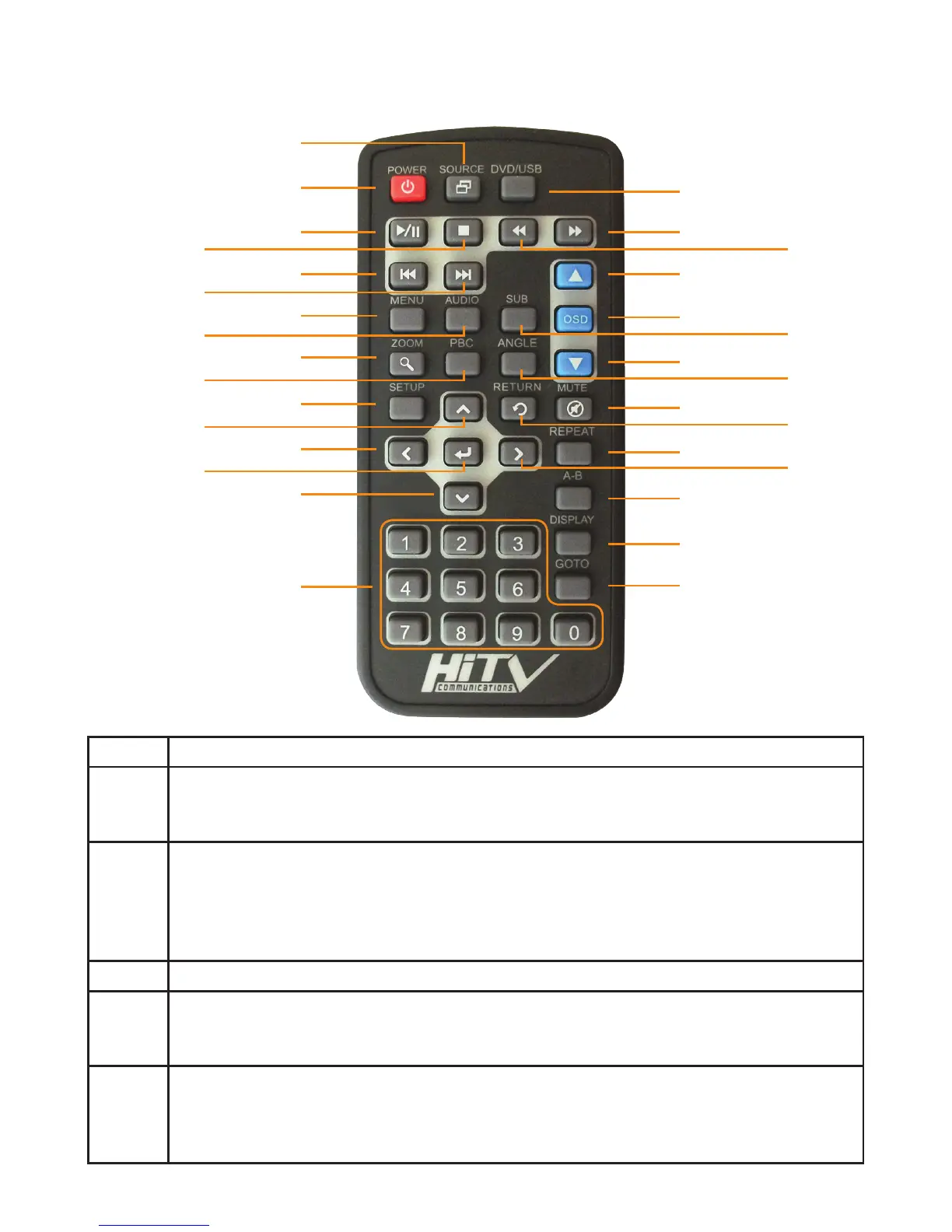
1
2
3
4
5
6
7
8
9
10
11
12
13
14
15
16
17
18
19
20
21
22
23
24
25
26
27
28
29
30
31
Item Operation Description
1
POWER
Press the button to turn the monitor ON/OFF. The current video source will be
displayed on screen within a few seconds.
2
SOURCE
All video sources connected to the AV inputs can be viewed on the monitor by
pressing this button. Each time the button is pressed, the AV source changes in
the following sequence: AUX1; AUX; Crosslink; DVD.When the monitor is turned
off, the source input will momerizes the last viewed.
3 DVD/USB SOURCE(only when USB input is utilized)
4
PLAY/PAUSE
Press the button to play or pause a disc that is loaded into the integrated DVD
player.
5
STOP
Press the button to stop playing the movie or song. STOP->PLAY: Resumes
play from where disc was stopped. STOP->STOP->PLAY: Restarts play from the
beginning of the disc.
Remote Control Operations
6



 To Next Page