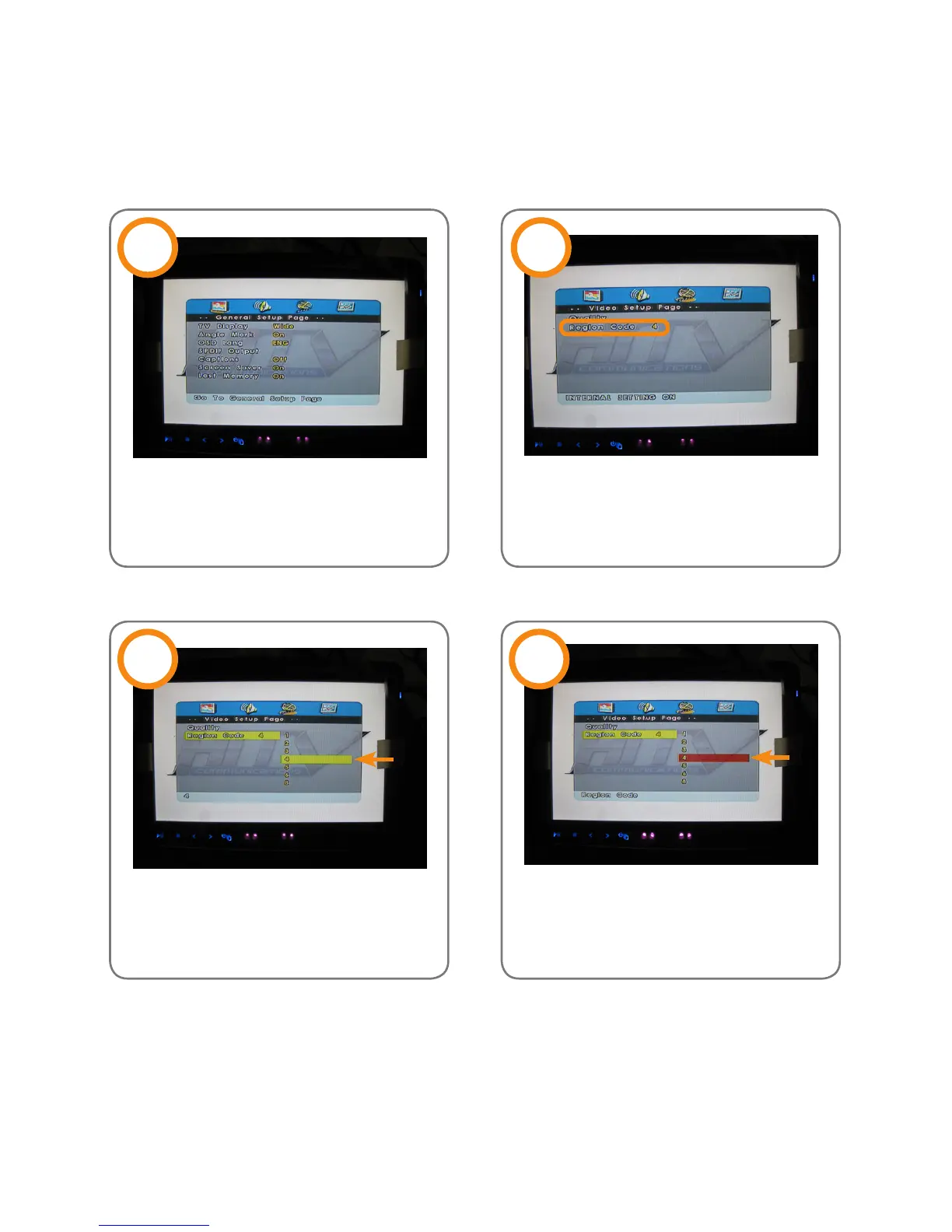
Turn on Twinview HD DVD head-
rest. Press ‘Setup’ to enter the
‘General Setup Page’.
Use the ‘Direction Indicator Panel’
to choose the right area code.
Press
‘Setup’→‘FR’→’FF’→‘NEXT’→
‘PREV’ to enter the ‘Video Setup
Page’.
Use ‘Enter’ to conrm region selec-
tion. Then the background goes
from yellow to red.
1 2
3 4
NOTE: Please eject the disc before setting up the region code.
Set Up Region Code
13



 To Next Page