III. Keypad & Signs
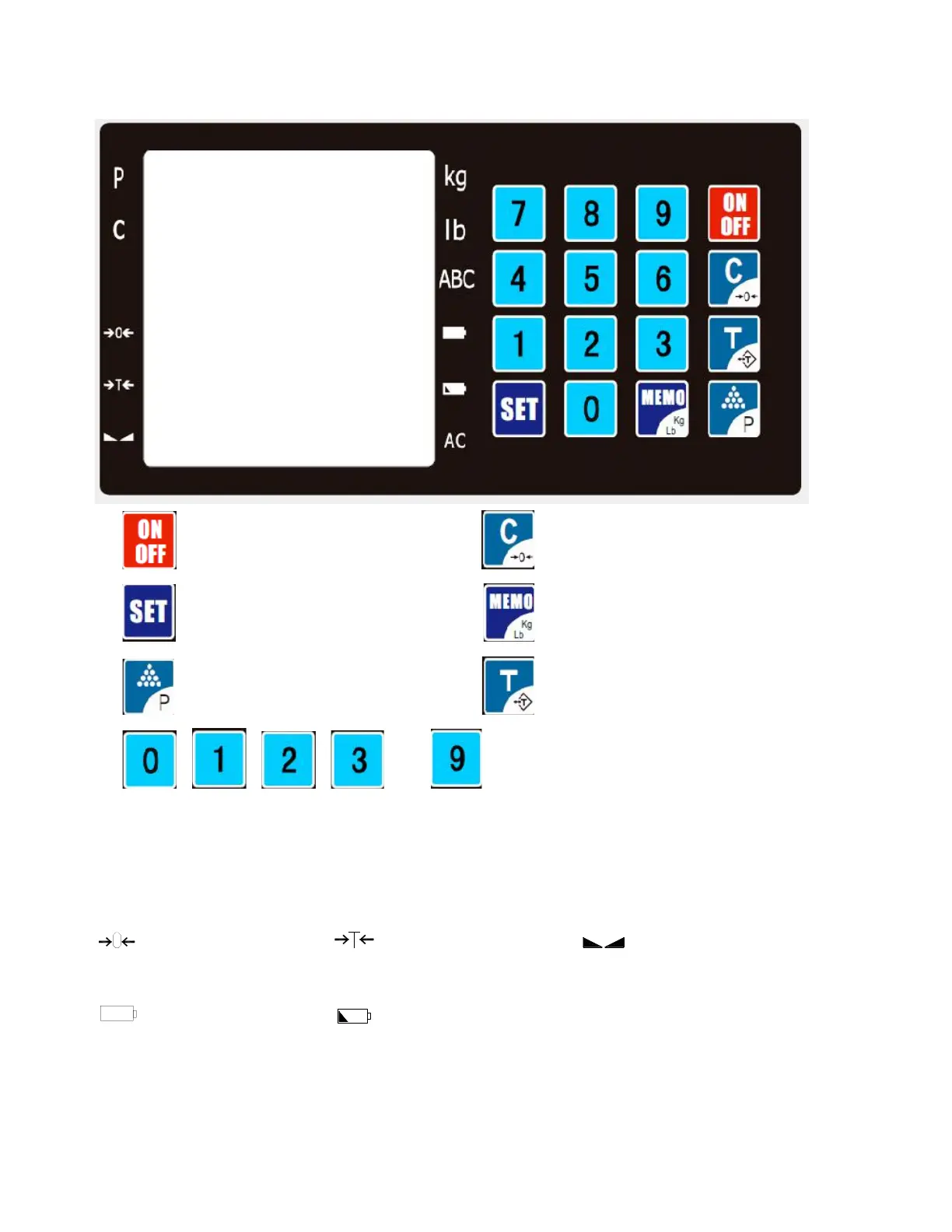
ON, Keep pressing for OFF Clear, Keep pressing for ZERO
SET, Memory unit set Memory retrieve, Keep pressing Kg/Lb
M+(accumulation), printing Tare, Keep pressing for preTare set
…… : digits
Display: The 1
st
line---weight value
The 2
nd
line----unit price or unit weight
The 3
rd
line----total amount or quantity
Sign lights:
P----price computing C----counting function
Zero Point ---TareNet weight ---Stable
kg--- unit is kg lb---unit is lb ABC---Input letters
---No power ---Power shortage AC---AC power supply
IV. Parameter Setting
1. Connecting the load cell well before parameter setting
2. Set parameters as following steps:
(Attention: calibration plug must be pushed on the position ON)



 To Next Page