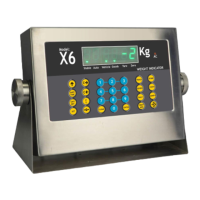
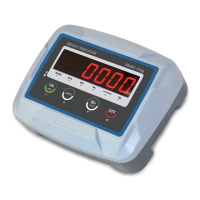
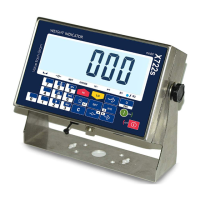
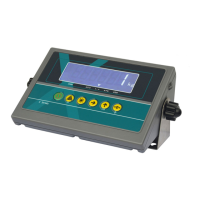
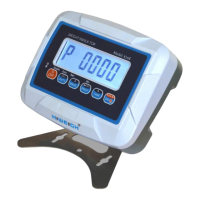
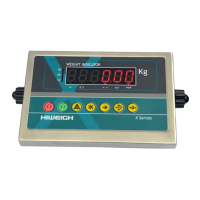
The device is a series of weight indicators, specifically models X1, X3(A), X5-RM, and GM, designed for professional weighing applications. These indicators are part of a weighing system and solution provided by HIWEIGH, an ISO9001 registered company. The manual, version v.201802, provides comprehensive information on the device's functions, specifications, and operation.
Function Description:
The HIWEIGH weight indicators are designed to provide accurate and reliable weight measurements in various industrial and trade applications. They offer a range of features including gross and net weighing, manual and automatic weight accumulation, and set point functions. The indicators are capable of displaying weight in kilograms (kg) and can transmit and print data via serial ports. They are suitable for high-precision weighing tasks and can be integrated into larger weighing systems.
Important Technical Specifications:
Accuracy Class: III
Maximum Number of Verification Scale Intervals: 3000
Load Cell Excitation Voltage: 5 V
Minimum Input Voltage: 0.5 mV
Minimum Input Voltage per Verification Scale Interval: 1 µV
Minimum/Maximum Load Cell Impedance: 87 Ω to 1000 Ω
Fraction of mpe: 0.5
Cable Connection: 6 wires
Maximum Value of Cable Length per Wire Cross Section: 150 m/mm²
Maximum Number of Load Cells:
- 4 x 350 Ω load cells
- 8 x 700 Ω load cells
Display:
- 6-digit 25.4mm LCD
- High Resolution (×10) display
- Weight unit in kg
Weighing Modes:
- Gross and net weight weighing
- Manual and automatic weight accumulation
- Set point function
Serial Interface:
- RS232 interface with continuous data output or command protocol
- Baud rates: 1200, 2400, 4800, 9600
- Optional RS485 interface
External AC Adapter: 100-240VAC 50/60Hz
Rechargeable Internal Battery:
- X3A(R)(G)M: 6V/2.8AH
- X3(W)(R)(G)M: 6V/2.8AH
- X5(R)(G)M: 6V/2.8AH
- X1(R)(G)M: 6V/4AH
Full Charge Battery Operation:
- X3A(R)(G)M: 20 hours
- X3(W)(R)(G)M: 20 hours
- X5(R)(G)M: 20 hours
- X1(R)(G)M: 30 hours
Full Charge Battery Recharge Time: 12 hours
Operating Temperature: -10 °C to +40 °C
Storage Temperature: -25 °C to +55 °C
Relative Humidity: 10% to 85% non-condensing
Housing:
- X3A(R)(G)M: plastic
- X3(W)(R)(G)M: stainless steel
- X5(R)(G)M: stainless steel
- X1(R)(G)M: plastic
Dimensions:
- X3A(R)(G)M: 275 x 160 x 120 mm
- X3(W)(R)(G)M: 275 x 160 x 120 mm
- X5(R)(G)M: 275 x 160 x 80 mm
- X1(R)(G)M: 255 x 170 x 130 mm
Weight:
- X3A(R)(G)M: 1.3 kg
- X3(W)(R)(G)M: 1.6 kg
- X5(R)(G)M: 1.6 kg
- X1(R)(G)M: 1.5 kg
Usage Features:
Front Panel and Status Indicators: The front panel features a 6-digit LCD display and various status indicators.
- AC: Indicates AC adapter is connected.
- Low Battery Warning: A symbol indicates low battery (30% of full charge), and the display blinks when battery capacity is less than 10%, leading to automatic power down after 1 hour.
- Stable Weight: A square symbol indicates stable weight.
- NET: Indicates tare is set and net weight is displayed.
- →0←: Indicates weight is within -1/4e to 1/4e of zero.
- LO, OK, HI: Set point indicators for ranges A≤weight<B, B≤weight<C, and C≤weight<D respectively.
- kg: Weight unit in kilogram.
Keypad Operations:
- 【OFF】: Switches the indicator off.
- 【ON】: Switches the indicator on.
- 【】: Manual weight accumulation.
- 【*】: Proceeds to the next step.
- 【←】: Displays weight to X10 resolution.
- 【→T←】: Tares the display.
- 【→0←】: Zeros the display.
Basic Functions:
- Switching On/Off: Simple ON/OFF operations. Upon switching on, the indicator displays software version and performs self-tests.
- Weight Unit: The default and only weight unit is kilograms (kg).
- Zeroing: Allows setting the zero point when the weight is less than 2% of full scale (FS) and the platform is unloaded.
- Tare Function:
- Acquire Tare: Set tare after zeroing, by placing an empty container on the platform, waiting for stability, and pressing the tare key. The indicator switches to net weight mode.
- Remove Tare: Remove tare and switch to gross weight mode by pressing the tare key when NET status is displayed.
- Simple Weighing: Place sample, wait for stability, and read the weight.
- Manual Accumulation: Accumulate weight manually and transmit data to RS232. The number of accumulated samples is displayed.
- Query Accumulated Data: View the number of samples, upper 4 digits, and lower 4 digits of accumulated weight.
- Clear Accumulation Data: Clear all accumulated data.
- Set Point Function: Configure four set points (A, B, C, D) to trigger LO, OK, or HI status symbols based on weight ranges.
- High Resolution Display Mode: Temporarily display weight with X10 resolution for 5 seconds.
- Automatic Shutdown and Power-Saving Mode: The indicator enters power-saving mode if not operated within 30 seconds, showing "- - - - - -". It automatically shuts down if not operated within 30 minutes.
External Interfaces:
- Load Cell Connectors (CN1): 6-wire connection for load cells, including +E, +S, -S, -E, +Excitation, -Excitation, +Signal, -Signal, and Ground.
- RS232 Serial Interface:
- Settings: 8 data bits, No parity, 1 stop bit.
- DB9 Connectors: Standard DB9 pinout for RxD, TxD, and GND.
- CN5A Connectors: Supports RS232 and RS485 connections, with dedicated pins for RS485 A/B, RS232 GND, RxD, and TxD.
- Connecting to PC DB9: Provides wiring diagrams for connecting the indicator's DB9 or CN5A to a PC's DB9.
- Connecting to a Printer: Provides wiring diagrams for connecting CN5A to a printer's DB25.
- Continuous ASCII Output: When the indicator address (Adr) is set to 00 or 99, it continuously transmits weight data in RS232 ASCII format. Two output formats are available: Adr=00 (X1-X7, S) and Adr=99 (S, X7-X1).
- RS232 ASCII Commands: For Adr set to 01-98, serial communication follows the Modbus ASCII protocol.
- Printer Format: Provides a detailed output format for printing accumulated data including gross, tare, net weight, and total accumulated weight.
Model Numbers: The manual lists various models with their housing material (Plastic or Stainless Steel), LCD color (Red or Green), and IP65 rating (Yes or No).
- X3ARM: Plastic, Red, No IP65
- X3AGM: Plastic, Green, No IP65
- X3RM: Stainless Steel, Red, No IP65
- X3GM: Stainless Steel, Green, No IP65
- X3WRM: Stainless Steel, Red, Yes IP65
- X3WGM: Stainless Steel, Green, Yes IP65
- X5RM: Stainless Steel, Red, No IP65
- X5GM: Stainless Steel, Green, No IP65
- X1RM: Plastic, Red, No IP65
- X1GM: Plastic, Green, No IP65
Maintenance Features:
- Safety Precautions: Emphasizes not using in hazardous or dusty environments, avoiding liquid exposure, protecting from direct sunlight/heat, and not opening the indicator (voids warranty).
- Electrical Safety: Warns about electric shock hazards, advising to unplug the AC adapter before maintenance and regularly check the power cable for damage.
- Disposal: Provides guidelines for proper disposal in accordance with European Directive 2002/96/EC (WEEE) and local regulations, especially for the internal rechargeable battery containing heavy metals.
- Services: HIWEIGH offers a full range of technical services, including on-site services, workshop repair, preventative maintenance, and calibration facilities.
- Battery Warranty: Explicitly states that the battery is not under warranty.

 Need help?
 General

 To Next Page