EasyManua.ls Logo

Hix HT-400 - User Manual

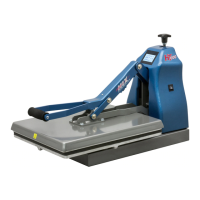
Hix HT-400
16 pages
Print Icon
To Next Page IconTo Next Page
Loading...
HT-600
HT-400
70345 RV G_121316
Receiving & Setup ............................................................................................ 2
Operation ..........................................................................................................3
Setting Temperature & Time .............................................................................4
Preference Settings .......................................................................................... 5
Machine Presets ............................................................................................ 6-7
Cycle Count ......................................................................................................8
Temperature & Time Modes .............................................................................9
Platen Pressure .............................................................................................. 10
Transfer Application ........................................................................................ 11
Troubleshooting .........................................................................................12-14
Repairs ...........................................................................................................15
Maintenance ...................................................................................................15
Warranty .........................................................................................................16
HT-400 & HT-600
Manual Clamshell with Pressure Readout
15”x15” & 16”x20” Heat Transfer Machines
OWNER’S MANUALOWNER’S MANUAL
CONTENTS
BEFORE warranty repair you MUST get Prior Authorization:
For Customer Service, Call 1-800-835-0606
or Visit www.hixcorp.com

Questions and Answers

Summary

receiving-and-setup

shipping-or-returns

Instructions for packing and returning the machine safely.

unpacking

Guidance on safely removing the machine from its packaging.

inspection

Procedure to check for shipping damage upon receipt.

installation

Steps for setting up and connecting the heat transfer machine.

operation

startup-splash-screen

Initial display shown when the machine powers on.

home-menu-screen

The main interface displaying current machine status and settings.

setting-temperature-and-time

adjust-temperature

Procedure for setting the desired heat temperature.

adjust-cycle-time

Procedure for setting the desired operation time.

preference-settings

settings-menu-screen

Overview of the menu for accessing various settings.

shutdown-timeout

Configuring the automatic power-off feature due to inactivity.

shutdown-timeout-adjustment-screen

Interface for modifying the shutdown timeout duration.

machine-presets

preset-quantity

Setting the number of temperature/time presets displayed.

preset-quantity-displayed-preference-screen

Visual representation of preset display options.

two-preset-display-on-home-menu-screen

Example of the interface showing two saved presets.

four-preset-display-on-home-menu-screen

Example of the interface showing four saved presets.

preset-management

storing-presets

Steps to save temperature and time settings into memory.

recalling-presets

How to load previously saved temperature and time settings.

preset-1-selected

Display mode after selecting the first preset.

preset-2-selected

Display mode after selecting the second preset.

cycle-count

cycle-count-reset-screen

Display showing the total number of machine cycles.

reset-cycle-counter

Instructions for resetting the cycle count.

temperature-time-modes

temperature-mode

Setting the display scale for temperature (Fahrenheit/Celsius).

temperature-mode-preference-screen

Interface for selecting the temperature unit.

time-scale

Options for how the timer is displayed (e.g., MIN:SEC, SEC).

time-mode-preference-screen

Interface for selecting the time display format.

platen-pressure

platen-pressure-readout

Monitoring the pressure exerted by the heat platen.

home-menu-screen-pressure

Display of pressure value on the main interface.

transfer-application

troubleshooting

troubleshooting-basics

Fundamental checks and procedures before diagnosing issues.

troubleshooting-diagnostics

no-heat-troubleshooting

Diagnostic steps for issues related to insufficient heat.

machine-overheating-troubleshooting

Diagnostic steps for problems causing the machine to overheat.

machine-wont-stay-closed-troubleshooting

Troubleshooting steps for when the press does not remain closed.

troubleshooting-specific-problems

machine-release-troubleshooting

Resolving issues where the press fails to open after the timer.

platen-pressure-indicator-troubleshooting

Diagnosing problems with the platen pressure display.

repairs

relay-bypass

Procedure for bypassing the machine's relay for testing.

maintenance

lubrication

Recommended schedule and method for lubricating moving parts.

cleaning-heat-platen

Instructions for cleaning the machine's heat platen.

warranty

Hix HT-400 Specifications

General IconGeneral
BrandHix
ModelHT-400
CategoryTools
LanguageEnglish

Related product manuals