3
OPERATION
1. Turn on the machine by pushing the on/off switch.
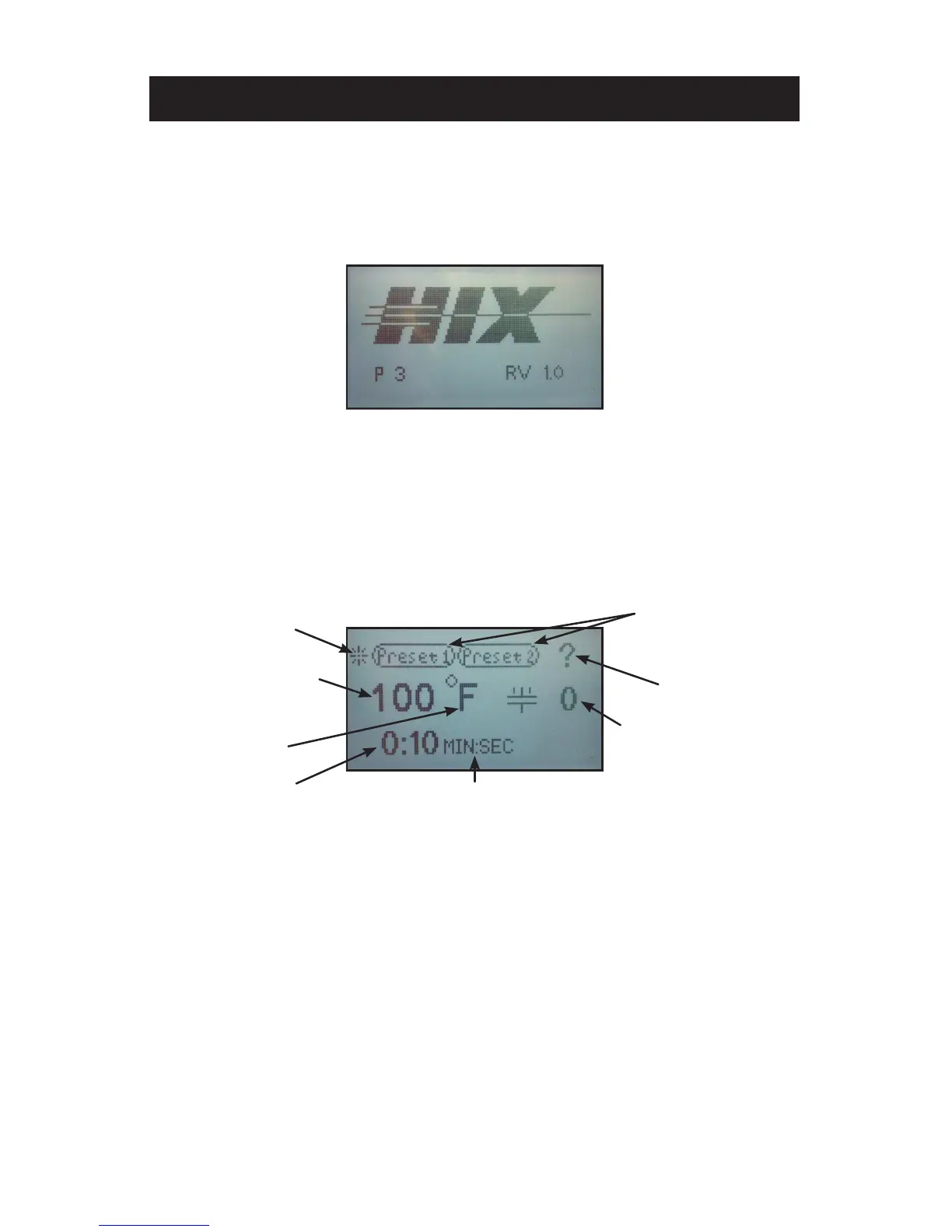
Startup/Splash screen is displayed as the controller boots up.
Note: The current program number and the software revision of the control-
ler are displayed at startup. (The default settings are program number
P 1 for °F, P 2 for °C and software revision RV 1.0)
After boot up, the home screen is displayed showing the current heat platen
temperature and set cycle time. The heat indicating lamp is represented
by the snowake in the upper left corner of the display. The heat indicating
lamp will display anytime the heating element is heating and will cycle on
and off after the set temperature is reached to maintain set temperature.
MACHINE PRESET
BUTTONS
ACCESS
SETTINGS MENU
TEMPERATURE
READOUT/SETTING
HEAT INDICATING
LAMP
TEMPERATURE
MODE
TIME
READOUT/SETTING
TIME SCALE
PRESSURE READOUT
HOME MENU SCREEN
Startup/Splash Screen


 To Next Page