8
CYCLE COUNT
CYCLE COUNT
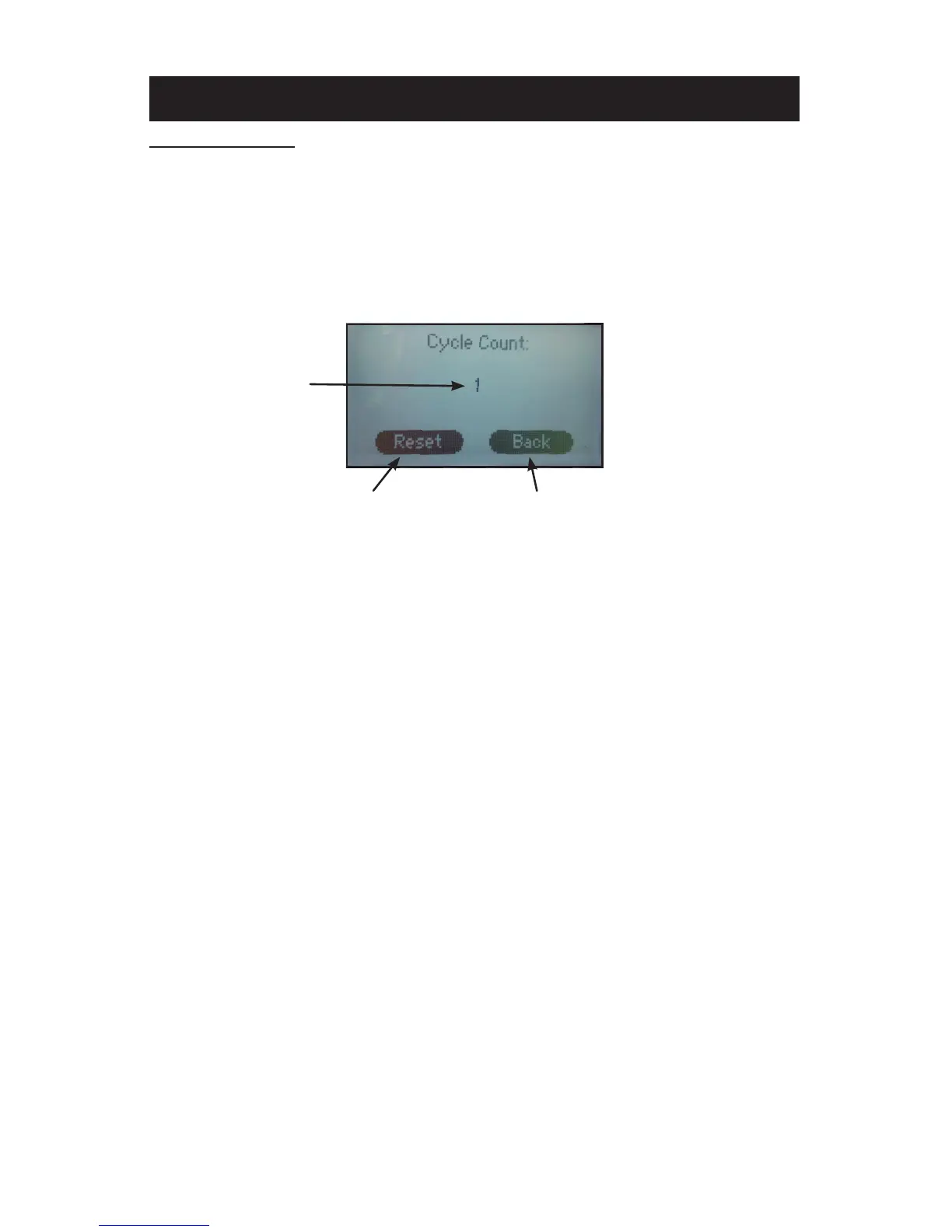
The cycle count feature counts the number of cycles that the machine
has undergone. A cycle is counted every time the countdown timer is
activated by closing the press.
NOTE: The cycle count will maintain the total count even if the power has
been turned off.
TO RESET THE COUNTER:
1. From the settings menu press the “Cycle Count” sub menu title.
2. Press “Reset.”
3. Press “Back” to return to the previous screen.
CYCLE COUNT/CYCLE COUNT RESET SCREEN
CYCLE COUNT
RESET TO ZERO RETURN TO PREVIOUS SCREEN


 To Next Page