16
Channel
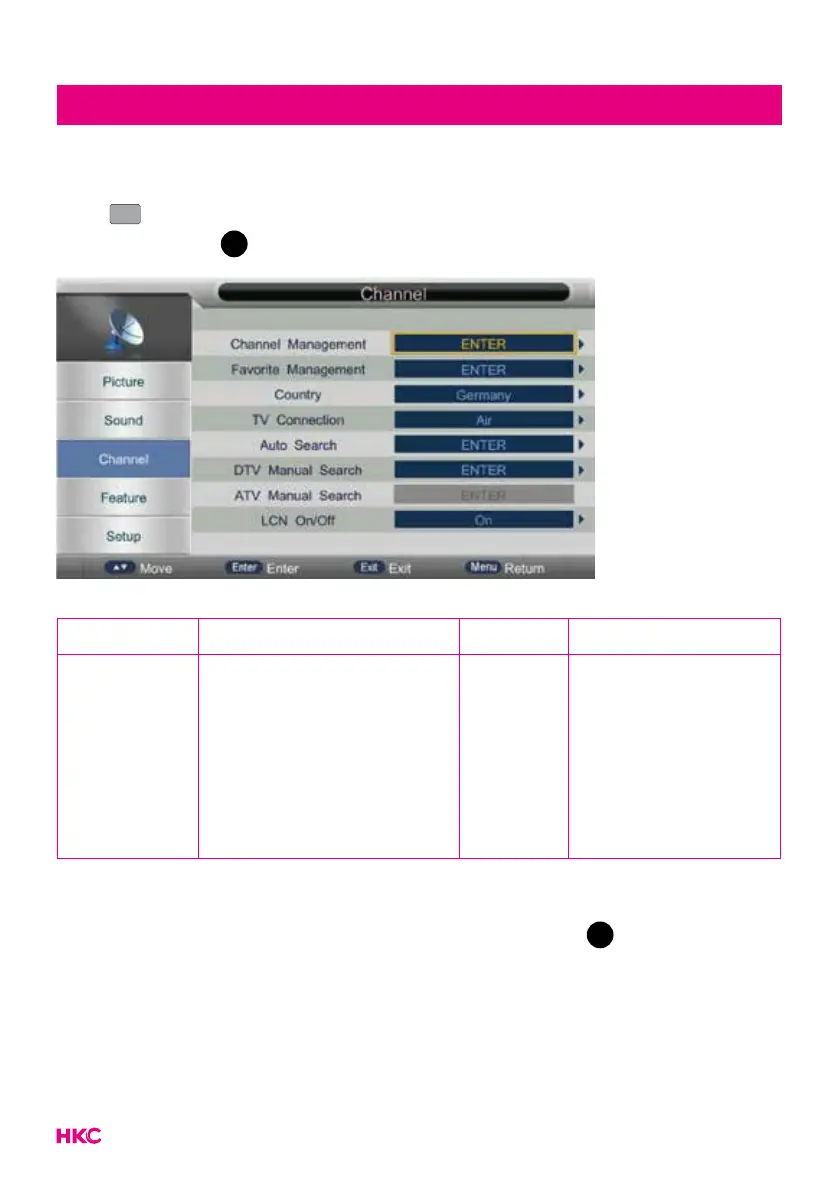
Channel (channel settings)
Press
MENU
MENU
to enter the OSD menu. Press to select CHANNEL in the main
menu, then press
OK
to conrm.
You can change various channel options here.
Item Adjustable Standard Description
Channel
settings
• Channel Management
• Favorite Management
• Country
• TV Connection
• Auto Search
• DTV Manual Search
• ATV Manual Search
• LCN On/Off
Default
Set the various
default channel
settings
You select the item you want to change with the buttons.
Use the buttons to set the desired setting. Then press
OK
or to conrm.
Note:
Turn on LCN to put the channels in logical order.


 To Next Page