26
USB Features
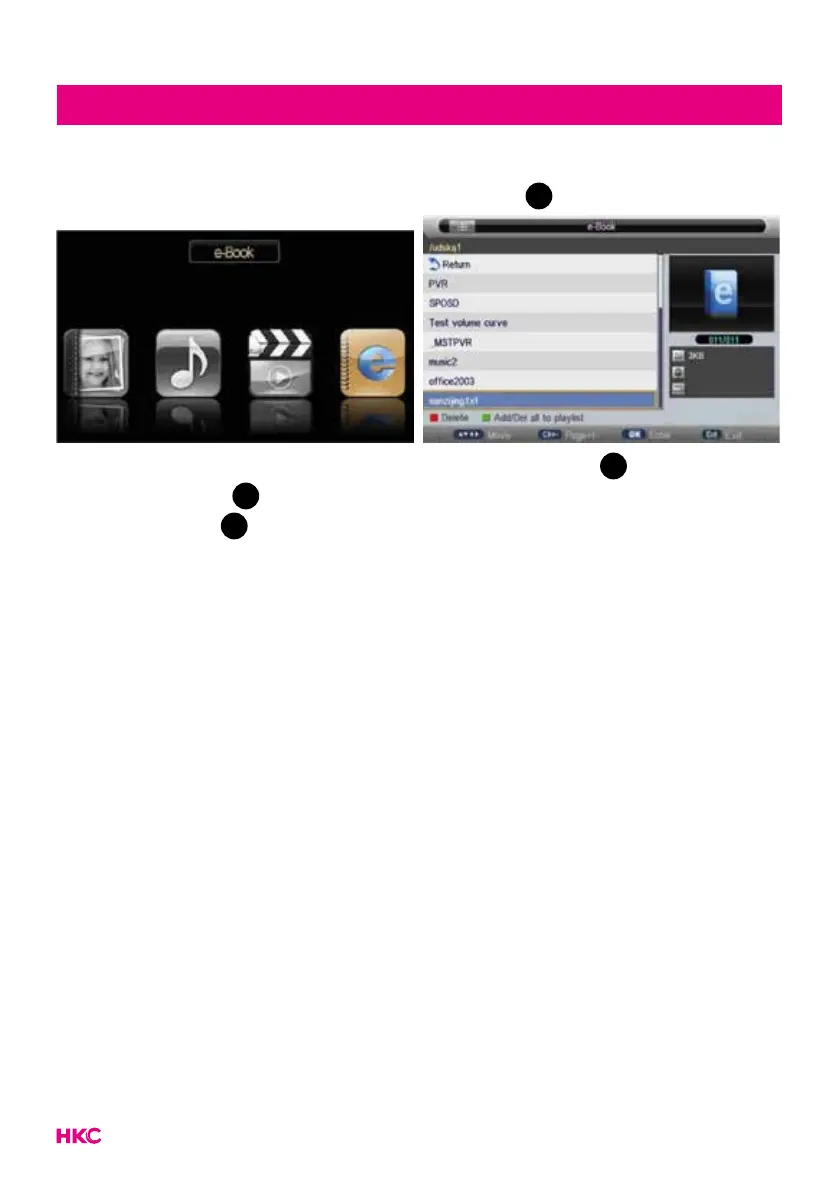
Press to select the ‘E-BOOK’ option and press
OK
to enter.
Press to select drive disk you want to watch, and press
OK
to enter.
Press the and
OK
to select the le you want to watch in the le selecting
menu, then press
OK
to play.
Note:
Press different colored button to do different operation according to instruction
at the bottom. These pictures about function are provided for reference only
which will be in accordance with exact circumstances.


 To Next Page