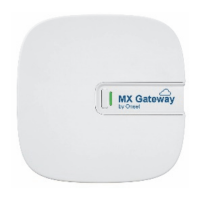
HOBOMXGatewayManual
1‐800‐LOGGERS 4 www.onsetcomp.com
ConnectingtotheGateway
Toconnecttothegatewaywithyourphoneortablet:
1. TaptheDevicesicon.InHOBOmobile,tapLoggersatthe
topofthescreen.
2. Tapthegatewayinthelisttoconnecttoit.
Ifthegatewaydoesnotappearinthelistorifitishaving
trouble
connecting,followthesetips:
Makesurethegatewayiswithinrange of yourphoneor
tabletwhenconnectingtoit.Ifyourmobiledevice can
connecttothegatewayintermittentlyorlosesits
connection,moveclosertothegateway,withinsightif
possible.Checkthegatewaysignalstrengthicon
inthe
apptomakesurethereisastrongsignalbetweenthe
phoneandthegateway.Themorebluebars,thestronger
thesignal.
Changetheorientationofyourphoneortablettoensure
theantennainyourdeviceispointedtowardthegateway
(refertoyourdevice’smanual
fortheantennalocation).
Obstaclesbetweentheantennainthedeviceandthe
gatewaymayresultinintermittentconnections.
Waitafewminutesandthentrytoconnectagain.The
gatewaywillnotbedisplayedintheappwhenitisbooting
orwhenanautomaticfirmwareupgradeis
underway.
IfyourecentlypoweredupthegatewayandtheLEDis
continuouslyflashing,butthegatewayisnotdisplayedin
theapp,thendisconnectthepowerfromthegatewayand
plugitbackin.Thegatewayshouldthenappearintheapp
afteritpowersbackup.
Onceyour
phoneortabletisconnectedtothegateway,you
cancheckhowmanyloggersareinrange.Youcanalsoselect
oneofthefollowingactions:
Configure.EnteragatewaynameandtapStart.
NetworkSettings.ChangetheEthernetorWiFisettings.
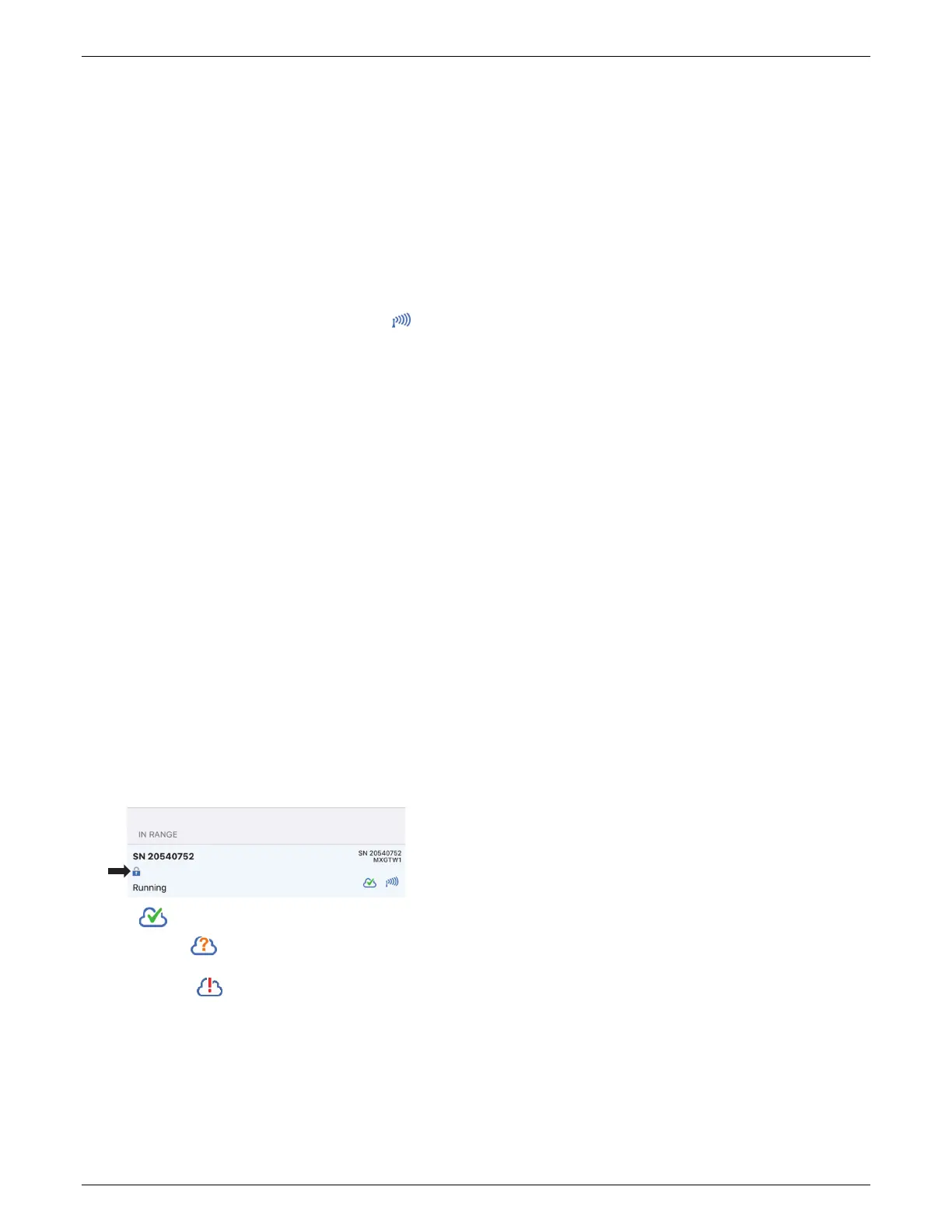
Whenthegatewayisconfigured,it
isautomaticallylockedto
preventunauthorizedwirelessaccess.Pressthebuttonnextto
theLEDonthegatewayforatleast10secondstoresetor
unlockthegateway.
Thisiconindicatesthegatewayisconnectedtothe
internet.Thisiconindicatesthegatewayiscurrentlynot
connectedlikelydue
toatemporaryoutage.Iftheproblem
persistsorthisiconappears,connecttothegatewayand
checkyournetworksettingstomakesurenochangesare
necessary.
MonitoringtheGateway
AheartbeatisregularlysentfromthegatewaytoHOB Ol inkto
makesurethegatewayisstillactive.Ifnoheartbeatissent
after15minutes,thenthegatewaystatuswillchangefromOK
tomissing.Thegatewaywillcontinuedownloadingtheloggers
evenifitisnotabletoconnecttoHOBOlink.Thedatawillbe
storedtemporarilyinthegatewayand uploadedthenexttime
itisabletoconn ecttoHOBOlink.
TocheckthestatusofthegatewayinHOBOlink,clickDevices
andthenclickMXDevices.Eachgatewayislistedbynameand
serialnumberwiththestatusandthelasttimedatawas
uploadedwiththegateway.
Youcanalsosetupanalarmtonotifyyouviatextoremail
whenagatewayismissingorwhentheloggersthatarebeing
monitoredbythegatewayaremissing,trippedanalarm,or
havelowbatteries.
To
setupagatewayalarm:
1. InHOBOlink,clickDevices and thenclickMXDevices.
2. ClickConfigureGatewayAlarms.
3. ClickAddNewAlarm.
3. Selectagateway.
4. Selectthealarmsyouwanttoaddforthegateway:
Missinggateway.Agatewayhasnotsentaheartbeat
to
HOBOlinkfor15minutes.
Missinglogger.Aloggerhasnotbeenfoundbythe
gatewayfor30minutes.
Loggeralarm.Aloggerbeingmonitoredbythegateway
hastrippedorclearedasensoralarm.
Loggerlowbattery.Aloggerbeingmonitoredbythe
gatewayhasalow
battery.
5. Selectwhetheryouwantgatewayalarmnotificationssent
viaemailortext.
6. Entertheemailaddressorcountrycodedestinationplus
cellnumber.
7. ClickSaveAlarms.
ViewingDataUploadedfromtheGateway
ArunninggatewayusesBluetoothtoregularlymonitorloggers
withinrangethathavebeenconfiguredforusewiththe
gateway.Newloggerdatareceivedbythegatewayisthen
uploadedviaWiFiorEthernettoHOBOlinkevery5minutes.
Tocheckwhenthelatestdatawasuploaded,clickDevicesand
then
MXDevices.IntheMXDevicestable,lookforthelogger
(byname,serialnumber,and/ormodelnumber)andcheckthe
lastsensorreadinglisted.Youcanalsoseethedateandtime
theloggerwasconfiguredandwhichgatewayuploadedthe
data.
ToviewloggerdatauploadedtoHOBOlinkfromthegateway:
Setupadashboardforreal‐timemonitoringofthe
conditionswheretheloggerislocated.
Exportthedatatoafile.
Setupadatadeliveryschedulesothatuploadeddatais
automaticallydeliveredtoyouviaemailorFTPona
scheduleyou
specify.
SeetheHOBOlinkHelpfordetailsonhowtosetupa
dashboard,exportdata,orcreateadatadeliveryschedule.


 To Next Page
 Loading...