HOFFEN EN
Hoffen 41
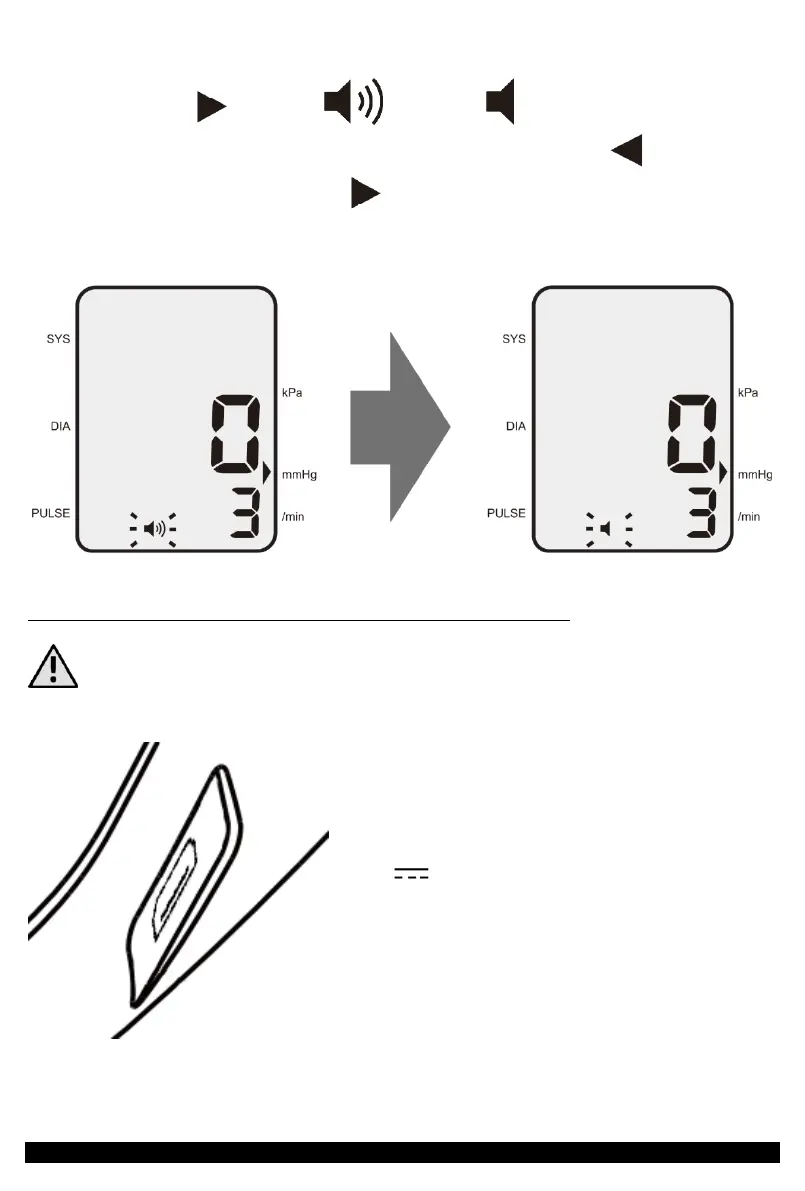
In order to disable or activate the sound (messages) in the device, enter the additional
menu select with the icon or button , depending on the previous
settings. When the icon starts flashing, change the selection with . The selection
is confirmed by pressing the button again or turning off the unit by pressing the
"ON/OFF" button. The change is shown in the illustration below.
POWER SUPPLY FROM AN EXTERNAL POWER SOURCE
In order to be able to use an external power supply, you must remove the entire
set of batteries from the battery compartment.
The blood pressure monitor can be powered not
only by battery power, but also by an external
power supply via the microUSB socket.
Simply connect the charger to your phone
or smartphone, powerbank or computer with
6V 500mA current at its output,
through cable with a plug compatible with these
energy sources and a microUSB plug-in.


 To Next Page