Operation Instruction
08
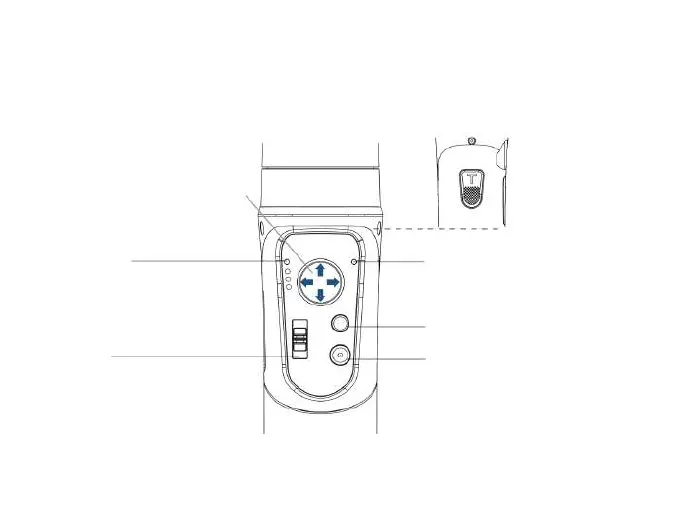
Push right/left
Push up/down
Mode Light
PF: Pan Following
PTF: Pan & Tilt Following
LOCK: All Locked
POV: All Following & Inception
Slider:
Roll axis angle adjustment
* Adjustable angle range
* Hold vertically: -30° ~ +30°
Trigger Button:
Press On: Sport mode
Double Tap: Re-center
* It is not available in
the mode AL (All Lock)
Bluetooth Light
Light On: Bluetooth Connected
Blink Twice: Power On/Off
Light Off: Bluetooth Disconnected
Mode Button
* Power On/Off (Long press for 3 seconds)
* Single Tap: Take photo, Start/end record
* Double Tap: Switch between the Photo
Mode and the Video Mode
(Available to GoPro Hero via WiFi when
camera is connected)



 To Next Page