03
03 Battery and Charging
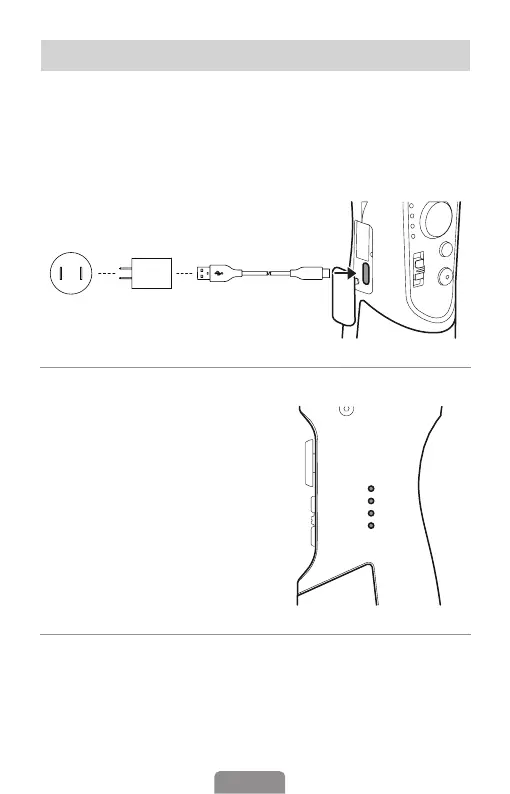
Before use, please ensure that iSteady Mobile+ has sucient battery power.
Charging Method: To charge the iSteady Mobile+, connect a USB adapter (not
included choose a 5V-2A adapter for better results) into the charging port
with the provided USB-C charging cable.
Battery Display: Tap the power button
to check the battery status.
Flickering: Charging
4 LED lights on: 100%, fully charged
3 LED lights on: 75%
2 LED lights on: 50%
1 LED light on: 25%
Reverse Charging (DC out charging for smartphones)
Android: Charging with the provided USB-C to USB-C cable.
iOS: Charging with USB-C to Lightning cable (Not Included).












 To Next Page