www.encoderhohner.com +34 972 160 017 info@encoderhohner.com
10
1
1
32
USER MANUAL
PR90 / PR90H
From the Hohner website, download the programming software required for your Operating System.
2.1
download the
programming software
Step 2: Programming software installation
Mac OS X
WINDOWS
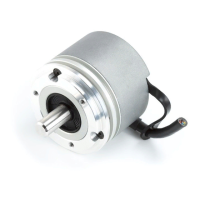
For the PR90 programmable incremental optical encoder to work correctly, you must follow the detailed configuration instructions
below:
Step 1: Connect the PR90 encoder to a USB port
You must open the connection cover located at the back of the PR90 encoder.
The connection is direct, using a uUSB / USB cable to connect to any computer or
tablet-PC, without any other equipment being required.
1.1
direct connection
to a USB port


 To Next Page