EN-6
Hub Menu Description
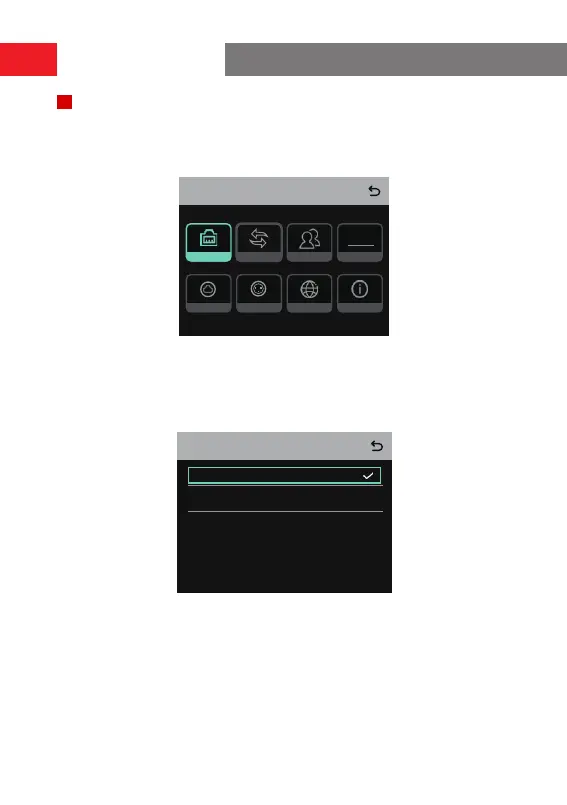
Press and hold the Menu/Conrmation button for about 3 seconds to enter the
menu inteace.
Menu
Network M & R
Info
Language2 Wire4 Wire
PGMGroup
PGM
1. Select
Network
to enter the network conguration inteace.
1.1 Select
Wi Setting
to turn Wi-Fi ON or OFF. After it is turned ON, the IP address,
SSID, and password are displayed.
IP Address: 192.168. 217.100
SSID: HLD_12345678
Password: 12345678
WIFI Setting
ON
OFF
Operation Guide



 To Next Page