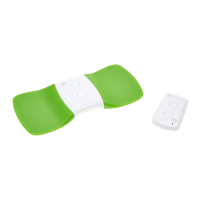
OPERATE your Hollywog WiTouch
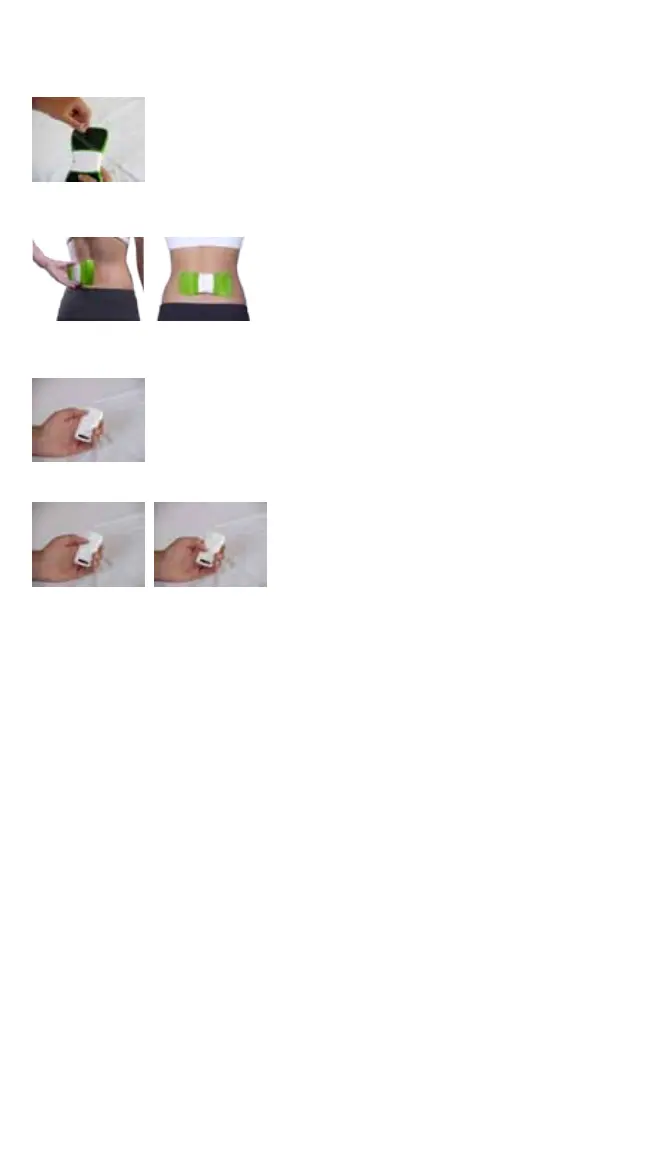
1. Remove the green protective liners from both gel pads on the device by slowly peeling the liner from one inside corner towards
the outside corner of the electrode area. DO NOT discard the protective liners as the protective liners will be reapplied to the
gel pads for storage after use. Take care to not touch or allow objects to come in contact with the gel pad as this may interfere
with the adhesion properties of the gel pad.
2. Placethedeviceonyourbackovertheareaofbackpain,aligningthecenterofthedeviceoverthespine.Makesurethegel
padsmakegoodcontactwiththeskin.DONOTapplythegelpads/electrodesdirectlyoverthespine.Iftheareaofbackpain
cannotbeaccessed,requestassistancefromanotherpersonforapplication.
3. OntheHollywogWiTouchremotecontrol,presstheSTART/STOPTREATMENTbuttonmomentarily.TheLEDwillblink
green one (1) time. The Hollywog WiTouch electrical stimulation treatment has now started. On the WiTouch device,
the LED will now begin blinking green very rapidly for the duration of the treatment.
4. PresstheINCREASEINTENSITY(+)buttontoincreasethestimulationtoacomfortablelevel.Todecreasethestimulation
intensityanytimeduringtreatment,presstheDECREASEINTENTISY(-)button.
5. Treatment will automatically stop after 30 minutes. Treatment can be stopped at any time by pressing the START/STOP
TREATMENTbuttonontheremotecontrol.DONOTremovethedeviceuntiltreatmenthasstopped.
6. CareshouldbetakentonotinadvertentlydepresstheON/OFFbuttononthedevicewhenbeingworn.IftheON/OFFbuttonis
depressed during use, the treatment will stop. To restart treatment, press and hold the ON/OFF button for 1 second, then
initiate the treatment with the remote control. The 30 minute treatment will start over from the beginning.
7. The Hollywog WiTouch device can be left in position without removal for multiple treatments during the day. To initiate
additional treatments, repeat step 3 above when treatment is desired. NOTE:Itisrecommendedtowaitaminimumof30
minutes between treatments.
8. The Hollywog WiTouch device will automatically turn off after two (2) hours of inactivity. To turn on the device, press
and hold the ON/OFF button on the WiTouch device for one (1) second. The LED will begin blinking green once every two (2
seconds).OntheHollywogWiTouchremotecontrol,presstheSTART/STOPTREATMENTbuttonmomentarily.TheLEDwill
blink green one (1) time. The Hollywog WiTouch electrical stimulation treatment has now started. On the WiTouch
device, the LED will now begin blinking green very rapidly for the duration of the treatment..
STORE your Hollywog WiTouch
1. When you have completed treatments and ready to store the Hollywog WiTouch, you can remove the device from your
back. Slowly peel the WiTouch device away from the skin, grasping the edge of the device and gel pad simultaneously to
ensure gel pad does not come off the device and stay on the skin.
2. Applythegreenprotectivelinerstothegelpads.Makesurethegelpadiscompletelycovered.
3. Press and hold the ON/OFF button on the device for 1 second to turn off the device. The LED will will stop blinking green.
4. Place the Hollywog WiTouch device and remote control in the storage box.
5. IftheHollywogWiTouchisnottobeusedforalongperiodoftime,removethe2AAAbatteriesfromtheHollywog
WiTouch battery compartment to prolong battery life.
6. To turn on the device, press and hold the ON/OFF button on the WiTouch device for one (1) second. The LED will begin
blinking green once every two (2 seconds). On the Hollywog WiTouch remote control, press the START/STOP
TREATMENTbuttonmomentarily.TheLEDwillblinkgreenone(1)time.TheHollywogWiTouchelectricalstimulation
treatment has now started. On the WiTouch device, the LED will now begin blinking green very rapidly for the duration of
the treatment.
REPLACE Hollywog WiTouch Gel Pads
HollywogWiTouchGelPadsaresinglepersonuse.Thegelpadswilllastforapproximately2-5applications.Thenumberof
applications will vary person-to-person depending upon skin type, oils and PH levels. When the gel pads no longer adhere completely,
it is time to replace the gel pads. To purchase replacement gel pads for your WiTouch device contact your original purchase retailer.


 To Next Page
 Loading...