Instructions – 40391
For Technical Support Call: 800-343-7486, Monday-Friday, 7AM - 4 PM (PST) Page 4
Step 1B – Install to Aluminum
DCU Shelf
Be sure to install the Kargo
Case holder to the
aluminum shelf extrusions
and NOT the shelf
fiberboard panels.
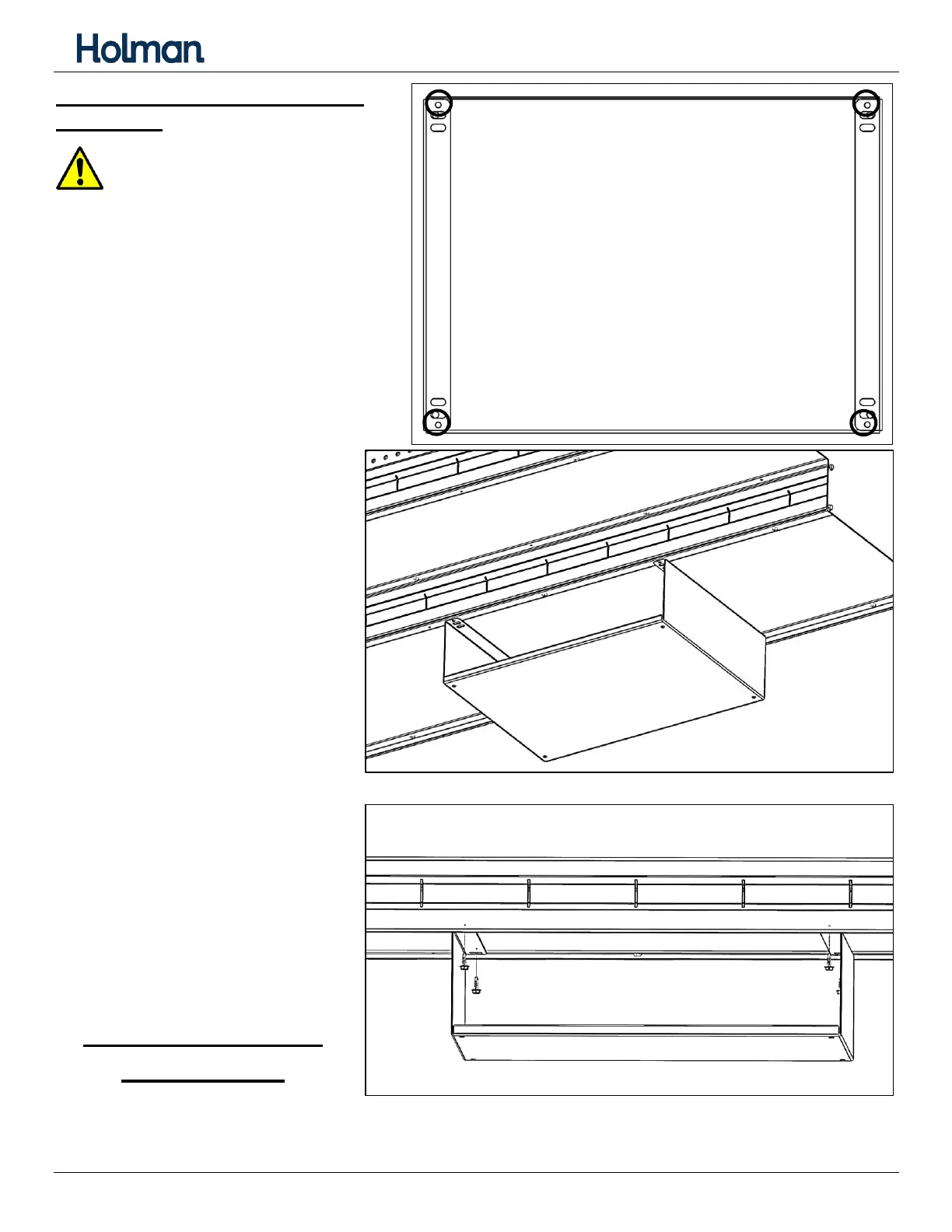
Place Kargo Case holder in
desired position on bottom of
DCU shelf. The small flange on
the Kargo Case holder goes
towards the front, where the
case will be accessed.
Holding Kargo Case holder in
place, drive a #10 x 5/8” sheet
metal screw through each of
the four outer holes into the
aluminum extrusion.
Tighten but DO NOT
overtighten.
INSTALLATION IS
COMPLETE.


 To Next Page