EasyManua.ls Logo

Holman 40391 - User Manual

Holman 40391
6 pages
Print Icon
To Next Page IconTo Next Page
Loading...
Holman
Rancho Cordova, CA 95742
800-343-7486
InstallationSupport@holman.com
20221018R2 DATE: ________________
Installation Guide
40391
Question and Answer IconNeed help?

Do you have a question about the Holman 40391 and is the answer not in the manual?

Summary

Preparation and Safety Information

Important Safety Warnings

Check for wires, fuel tanks, brake lines, and other critical vehicle items before drilling or installation.

Tools Required for Installation

Lists the necessary tools, including socket and wrench, drill, and driver bits.

Before You Begin Instructions

General advice including reading instructions and locating installation sites before starting work.

Product Components and Hardware

Parts Identification

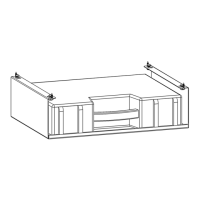
Details the main components, including Kargo Case Holder Floor and Kargo Case - Large.

Hardware Kit Contents

Lists screws and nuts included in the hardware kit for assembly.

Installation Procedures

Step 1 A: Install to Steel Shelf

Instructions for attaching the Kargo Case holder to a Holman steel shelf using specific hardware.

Step 1 B: Install to Aluminum DCU Shelf

Instructions for attaching the Kargo Case holder to an aluminum DCU shelf using sheet metal screws.

Step 2: Optional Install Second Kargo Case

Guide for stacking a second Kargo Case holder using the provided hardware.

Summary

Preparation and Safety Information

Important Safety Warnings

Check for wires, fuel tanks, brake lines, and other critical vehicle items before drilling or installation.

Tools Required for Installation

Lists the necessary tools, including socket and wrench, drill, and driver bits.

Before You Begin Instructions

General advice including reading instructions and locating installation sites before starting work.

Product Components and Hardware

Parts Identification

Details the main components, including Kargo Case Holder Floor and Kargo Case - Large.

Hardware Kit Contents

Lists screws and nuts included in the hardware kit for assembly.

Installation Procedures

Step 1 A: Install to Steel Shelf

Instructions for attaching the Kargo Case holder to a Holman steel shelf using specific hardware.

Step 1 B: Install to Aluminum DCU Shelf

Instructions for attaching the Kargo Case holder to an aluminum DCU shelf using sheet metal screws.

Step 2: Optional Install Second Kargo Case

Guide for stacking a second Kargo Case holder using the provided hardware.

Holman 40391 Specifications

General IconGeneral
BrandHolman
Model40391
CategoryAutomobile Accessories
LanguageEnglish

Related product manuals