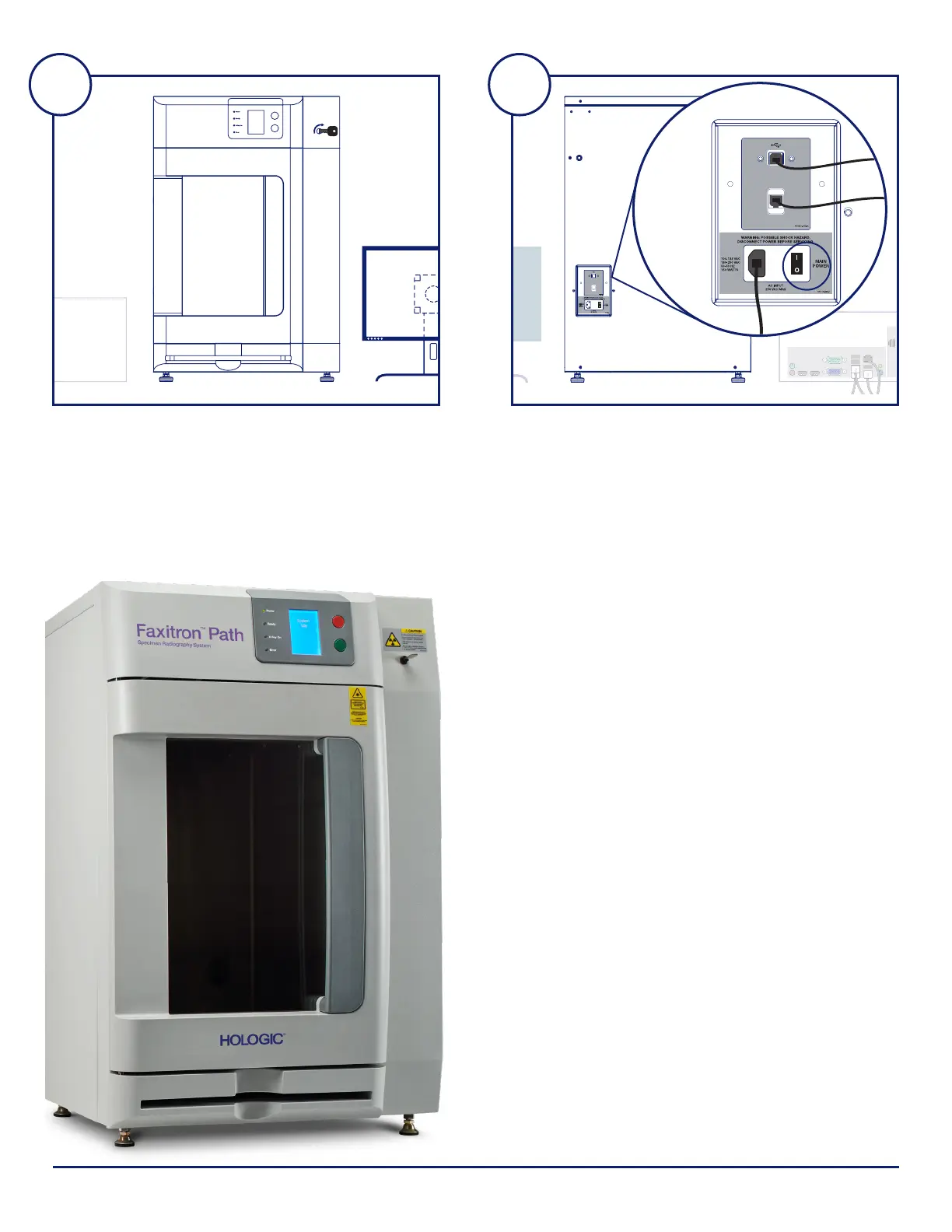
STEP SEVEN
Locate the Faxitron Path keys and insert into the key
switch located on the front of the unit.
Turn on the computer and monitor and allow Windows to
start up.
STEP EIGHT
Turn on the power switch on the back of the
Faxitron Path unit.
Turn the key clockwise to ON.
Double-click the VISION icon.
The system will detect the Faxitron Path unit and
automatically begin calibration.
For system operation, consult the Quick Start Guide
in the document packet.
7 8
CAMERA
LINK
Faxitron Bioptics LLC
3440 E. Britannia Dr, Ste 150,
Tucson, AZ 85706, US
servicedept-faxitron@hologic.com
+1 520 399 8139
www.faxitron.com/support
5081-4002 Rev. 021 (6/19) ©2019 Hologic Inc. All rights reserved. Hologic, Faxitron, PathVision, The Science of Sure and associated logos are trademarks and/or registered trademarks of Hologic, Inc., and/or its
subsidiaries in the United States and/or other countries. This information is intended for medical professionals in the U.S. and other markets and is not intended as a product solicitation or promotion where such
activities are prohibited. Because Hologic materials are distributed through websites, eBroadcasts and tradeshows, it is not always possible to control where such materials appear. For specific information on
what products are available for sale in a particular country, please contact your local Hologic representative.
Faxitron Path system also known as PathVision™ System.













 To Previous Page