-17-
- - - - - - - - - - - - - - - - - - - - - - - - - - - - - - - - - - - - - - - - - - - - - - - - - - - - -
11.0 FUNCTION DETAILS
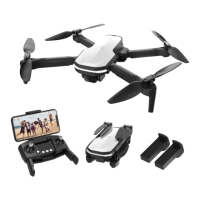
This drone comes with 2 speed modes (Low/High). Press the Speed Switch
button to switch the speed. A “Di” tone indicates Low speed and a “DiDi”
tone indicates High speed.
(The Low speed is default speed mode.)
11.2 Speed Switch
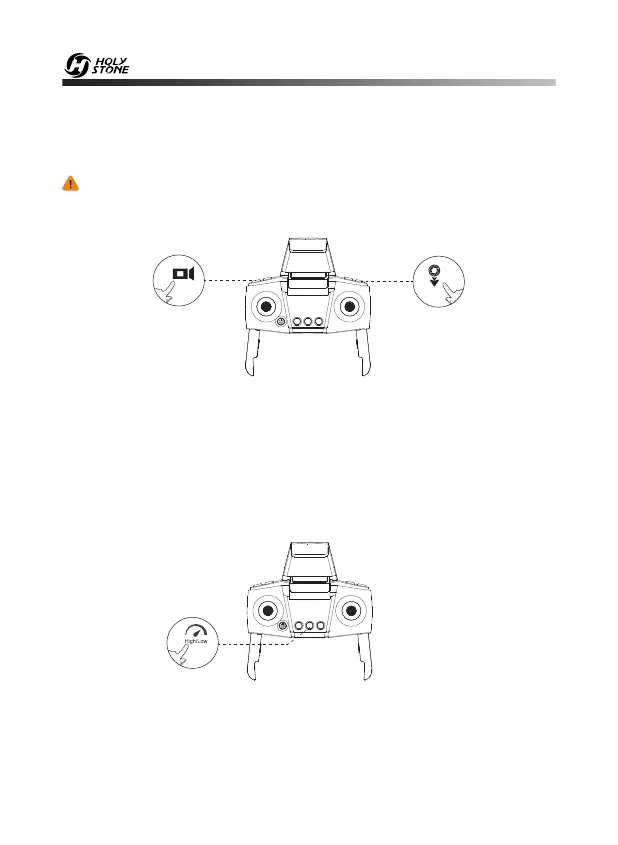
The Emergency Stop function can be only used in case of emergen-
cy during the flight to avoid any damage or injury.
Press the Record Video button and the Lens Down button simultaneously,
you will hear one beep from the transmitter, and the drone will fall down
immediately. Be aware that you risk breakage of the drone if it falls a large
distance or hits anything at a high rate of speed.
11.1 Emergency Stop


 To Next Page