EasyManua.ls Logo

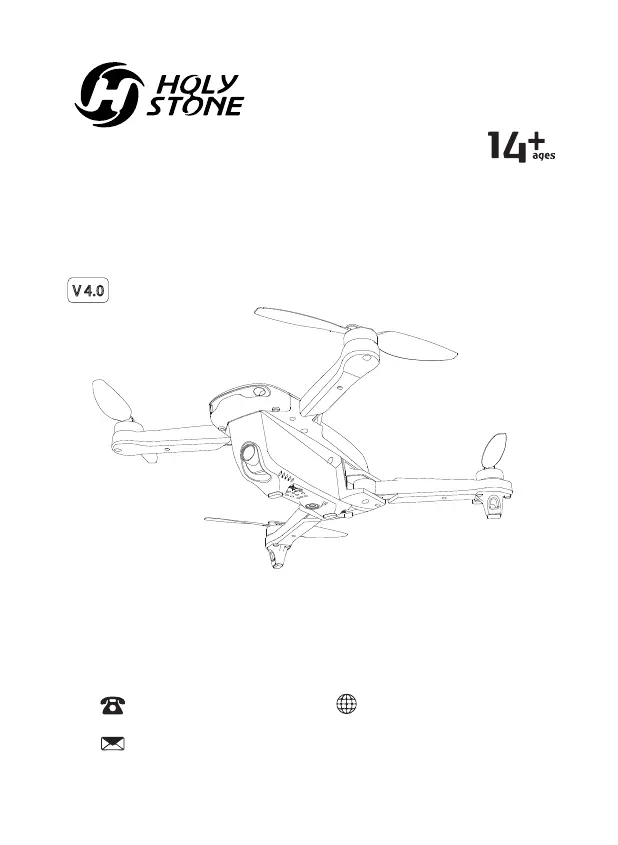
Holy Stone HS175D - User Manual

Holy Stone HS175D
41 pages
Print Icon
To Next Page IconTo Next Page
Loading...
HS175D
V 4.0
www.holystone.com
+1(855) 888-6699
Instructions For Use
Gebrauchsanweisung
usa@holystone.com (USA)
ca@holystone.com (CA)
eu@holystone.com (EU)

Other manuals for Holy Stone HS175D

Questions and Answers

  • A
    austin42Jul 30, 2025
    Why does my Holy Stone HS175D Quadcopters drone not hover properly?
    • J
      Jeanette ThomasJul 30, 2025
      If your Holy Stone Quadcopter drone is not hovering correctly or keeps moving up and down, try repeating the gyro calibration. Also, avoid flying in poor weather conditions, as this can affect the drone's stability.
  • J
    Jesse PughAug 9, 2025
    What to do if Holy Stone Quadcopters drone response is intermittent?
    • K
      Katrina WhiteAug 9, 2025
      If you're experiencing an intermittent response from your Holy Stone Quadcopter drone, try the following: * Change the batteries in both the drone and the transmitter. * Move to a different location where there is less interference, as this can sometimes disrupt the signal.
  • K
    kyle60Aug 18, 2025
    Why does my Holy Stone HS175D Quadcopters drone drift to one side?
    • J
      Jason HawkinsAug 18, 2025
      If your Holy Stone Quadcopter drone drifts to one side while hovering, place the drone on a flat, level surface and repeat the gyro calibration process. This should help stabilize the drone.

Summary

2.0 Safety Guidelines

2.1 Check Before Use

Ensures the drone is ready for safe operation by checking propellers, batteries, and overall product integrity before each flight.

2.4 Use of Battery

Provides critical instructions on battery installation, handling, charging, disposal, and precautions to prevent damage or fire.

8.0 Installation

9.0 Charging

10.0 Operation Guide

10.3 Drone Pairing

Explains the step-by-step process for pairing the drone with the transmitter to establish a connection.

10.4 Calibrating the Compass

Details the procedure for calibrating the drone's compass, involving horizontal and vertical rotations for accurate navigation.

10.5 GPS Signal Searching

Explains how the drone searches for GPS signals, indicator light changes, and considerations for GPS mode operation.

10.6 Calibrating the Gyro

Instructs on calibrating the drone's gyro by pushing joysticks, crucial for stable flight after pairing or crashes.

11.0 Function Details

11.6.1 Smart RTH Procedure

Details how to activate Smart RTH and how the drone behaves regarding altitude changes when returning home.

11.6.2 Low Voltage RTH

Explains the automatic RTH triggered by low battery, and conditions for exiting this mode.

11.6.3 Failsafe RTH Trigger

Explains Failsafe RTH, triggered by loss of transmitter signal, and how to exit it if the signal is recovered.

11.7 Emergency Stop Function

Details the emergency stop function, used only in critical situations to immediately bring the drone down.

12.0 Specifications

13.0 Trouble Shooting

Holy Stone HS175D Specifications

General IconGeneral
Flight Time23 minutes
GPSYes
Camera Resolution4K
Photo Resolution3840x2160
Follow Me ModeYes
Return to HomeYes
Battery7.6V 1700mAh Li-Po
Video Resolution4K at 30fps

Related product manuals