- - - - - - - - - - - - - - - - - - - - - - - - - - - - - - - - - - - - - - - - - - - - - - - - - - - - - - - - - - -
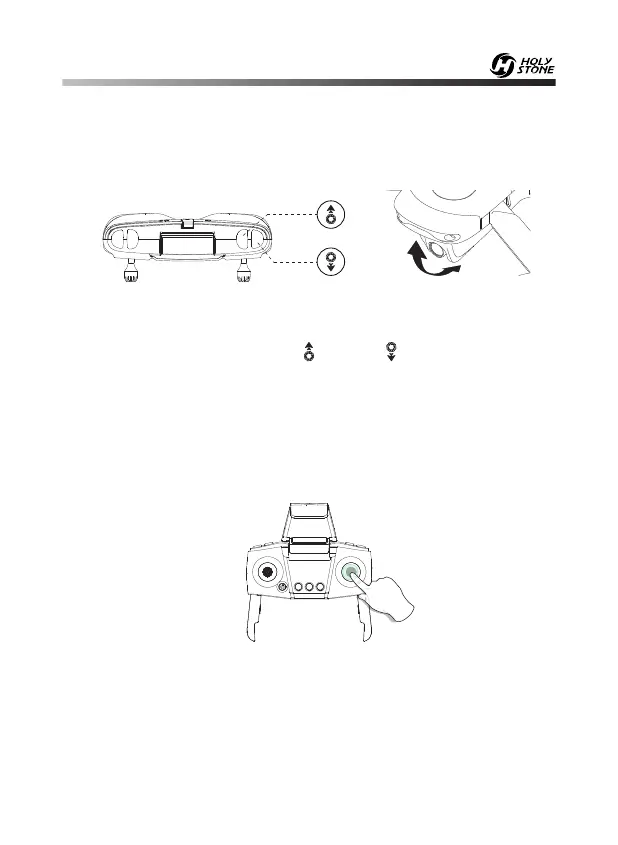
11.1 Camera Angle Adjustment
11.0 FUNCTION DETAILS
This drone comes with 2 speed modes (Low/High). Press the right joystick
down to switch the speed. “Di” indicates Low speed and “Di Di” indicates
High speed.
(The Low speed is default speed mode.)
11.2 Speed Switch
As shown in the figure above, you can adjust the camera to tilt up or
down through the two buttons “ ” and “ ”.
(The camera has an 90° tilt range.)
-20-


 To Next Page