-19-
①
②
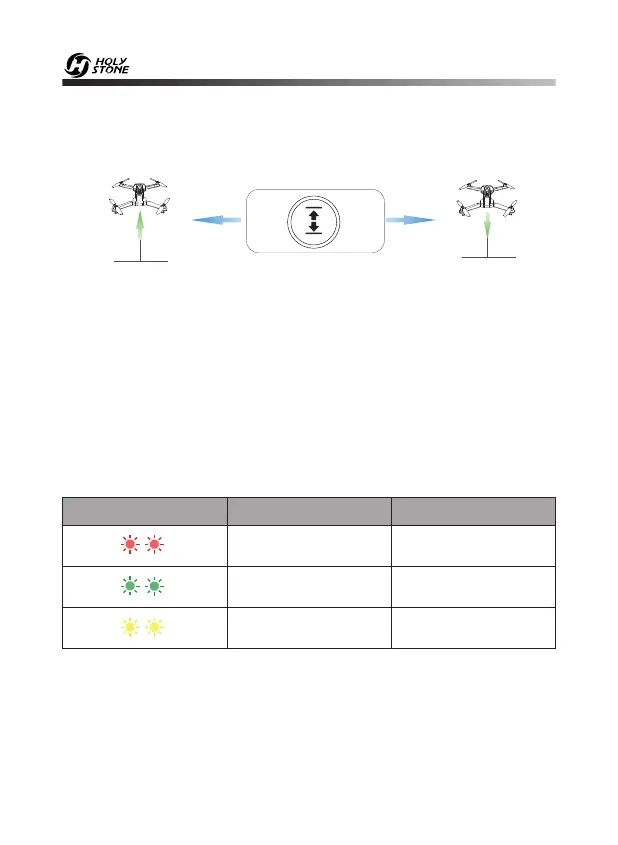
Please unlock the motor before take-off.
10.8 One Key Takeoff/Landing
① After unlocking the drone, short press the One Key Takeoff button,
the drone will automatically take off and hover at 5 feet altitude.
② When the drone is flying, short press the One Key Landing button,
the drone will automatically land on the ground.
LandingTake-off
- - - - - - - - - - - - - - - - - - - - - - - - - - - - - - - - - - - - - - - - - - - - - - - - - - - - - - - - - - -
10.9 Drone Status Indicator States
Color Action Drone Status
Pairing succeededSolid Red
GPS ModeSolid Green
Optical Flow ModeSolid Yellow


 To Next Page