Contents
1. Products Categories.................................................................................................................. 2
1.1 Composition of Ultrasonic flow meter .......................................................................... 2
1.2 Types of Converters ....................................................................................................... 2
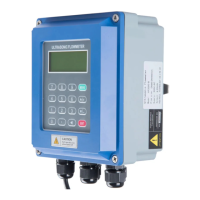
1.3 Types of Flow/Temperature Transducers ....................................................................... 3
2. Check Components................................................................................................................... 3
3. Measuring Diagrams ................................................................................................................ 4
4. Converter Installation and Wiring Diagram ............................................................................. 5
4.1 Separated Mounting ....................................................................................................... 5
4.2 Fix mounting .................................................................................................................. 8
4.3 Module type ................................................................................................................... 9
5. Transducer Introduction and Wiring Diagram ....................................................................... 10
5.1 Clamp on type transducer.............................................................................................. 10
5.2 Insertion type transducer .............................................................................................. 11
5.3 Inline type transducer ................................................................................................... 12
6. Display and Operation ............................................................................................................ 13
6.1 Display and keyboard.................................................................................................... 13
6.2 Operation ...................................................................................................................... 13
6.3 Menu Details ................................................................................................................ 14
6.4 Quick setup of measured parameters ........................................................................... 21
7. Transducers Installation ......................................................................................................... 22
7.1 Choose installation points ............................................................................................ 22
7.2 Clamp on transducer Installation ................................................................................. 24
7.3 Insertion type transducer installation ........................................................................... 27
7.4 In-line type transducer installation .............................................................................. 32
7.5 Check Installation ........................................................................................................ 33
8. Finish Installation................................................................................................................... 34


 To Next Page