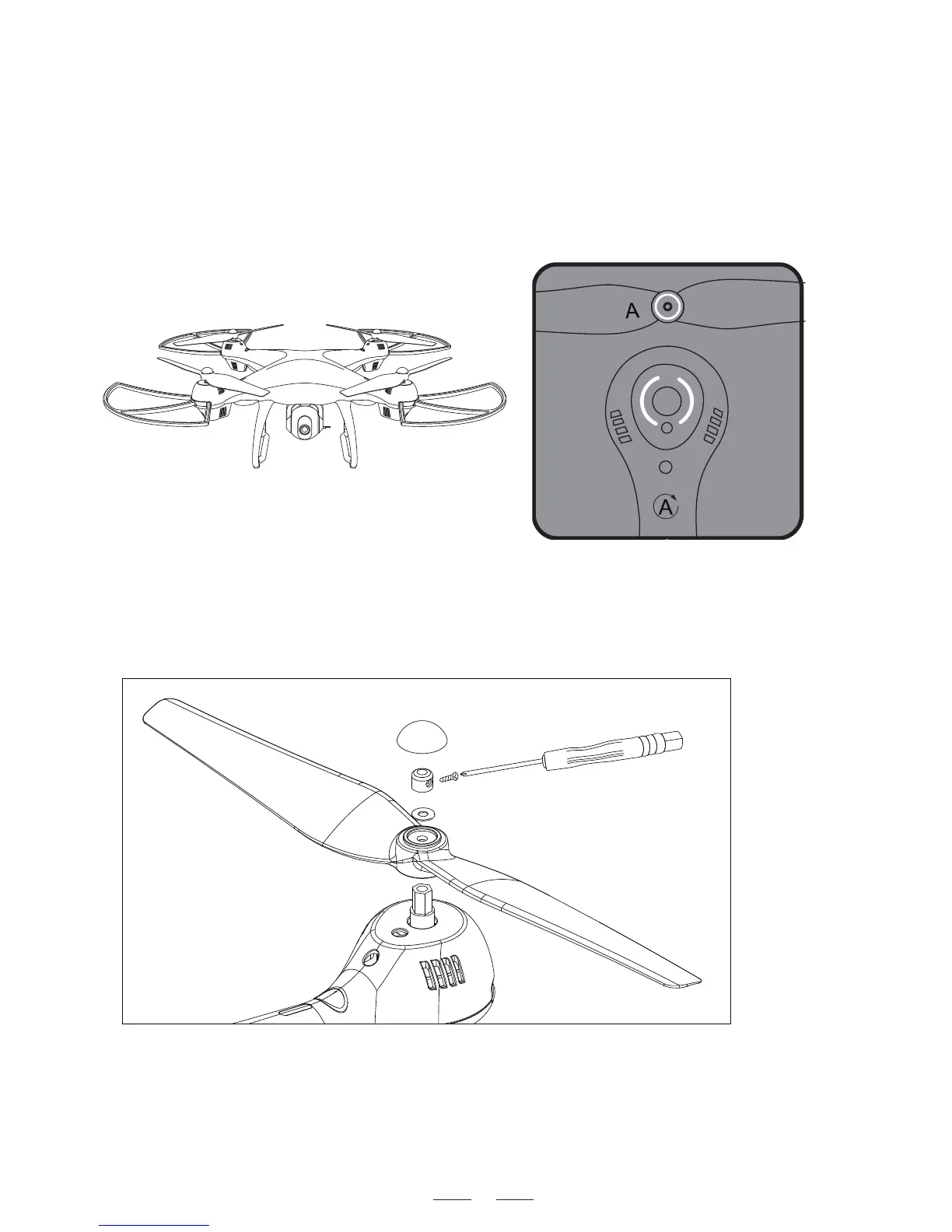
Assemble the Propeller
A
A
B
B
Please note that the letter “A ” or “ B ” is printed on each
propeller, and make sure all the propellers are attached in the
correct motor position.
1. Remove Propeller Cap.
2. Unscrew the small screw.
3. Pull out the Fixed Ring and Spacer Ring, then pull out the propeller.
4. Attach the correct propeller.
Replace and Attach the Propellers
Cap
Spacer Ring
Fixed Ring
Propeller
Attach the propellers with the
ring mark to the motor cover
with ring marks.
7


 To Next Page