4
TURN-ON, TURN-OFF (by control panel and remote control)
Turn-on in stand-by mode:
- Press to set the appointment turn-on time in 1-12 hours (the light is on).
.The display automatically decreases 1 hour for each hour passed. When the
appointment power-on time arrived, the product will automatically turns on. The
default setting temperature is 23°C.
.If not setting the setting temperature and weekly program, the unit will
automatically turn-off after continuous-by.
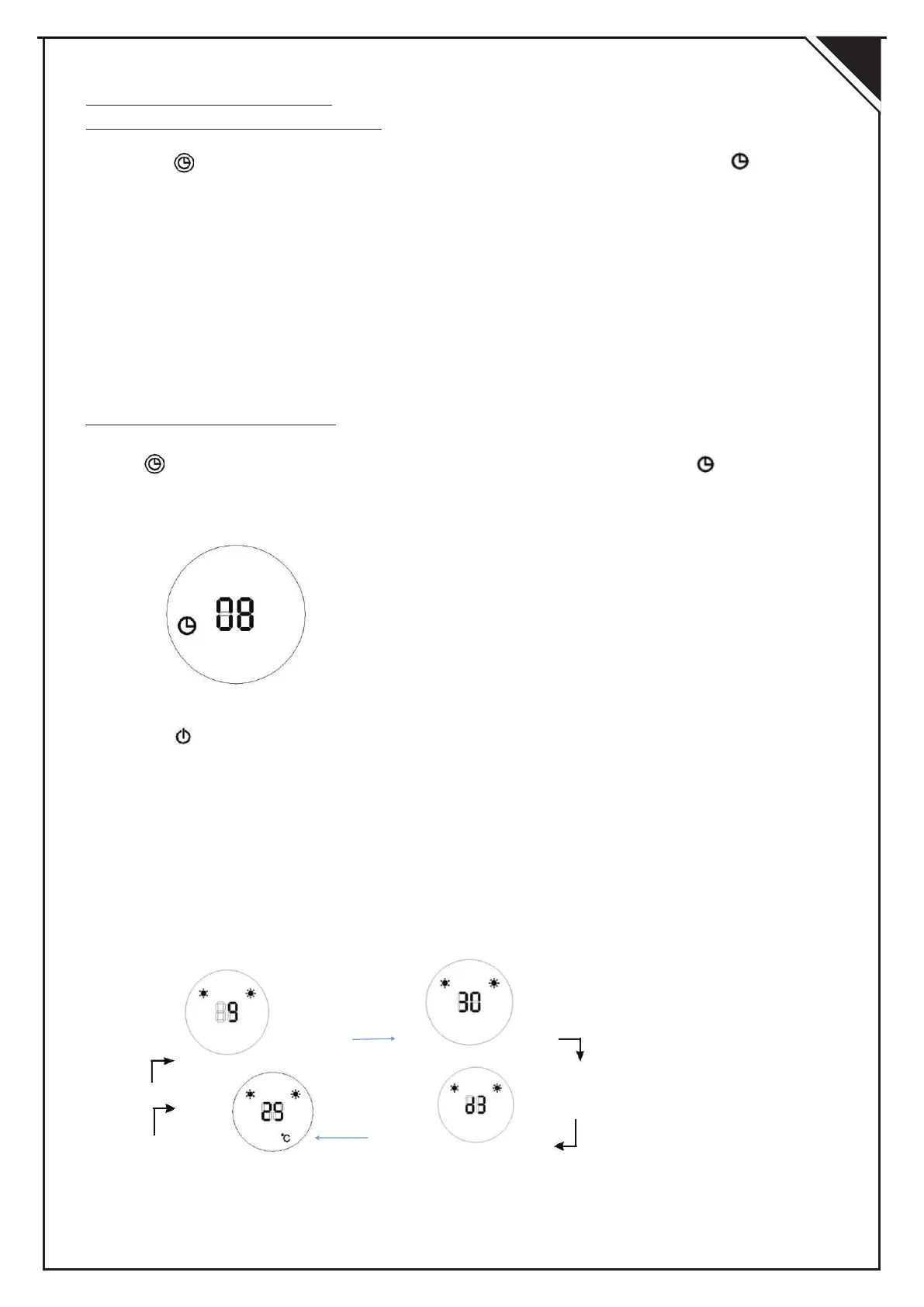
For example to set appointment turn-on time to 8 hours
Turn-offinrunning mode
Press to set the appointment turn-on time in 1-12 hours (the light is on)When
the appointment power-off time arrived, the product will automatically turns off.
The default setting temperature is 23°C
For example to set appointment turn-off time to 8 hours
SET
Hour Minutes
SET SET
SET CURRENT TIME (ONLY by remote control)
- Press to switch on the appliance.
- Press SET to display the hour.
- Press + or - to set the current hour (00 to 23).
- Press SET again to display the minute.
- Press + or - to set the current minute (00 to 59).
- Press SET again to display the day of week.
- Press + or - to set the current day (d1= Monday,d2=Tuesday,d3=Wednesday,
d4 = Thursday, d5 = Friday, d - Press OK to confirm the setting).
For example, Wednesday 9:30 , Setting temperature = 25°C :
Setting temperature Day
To check the current time and setting temperature, press SET again.
If main switch off or power cutoff , it need reset the time
EN


 To Next Page