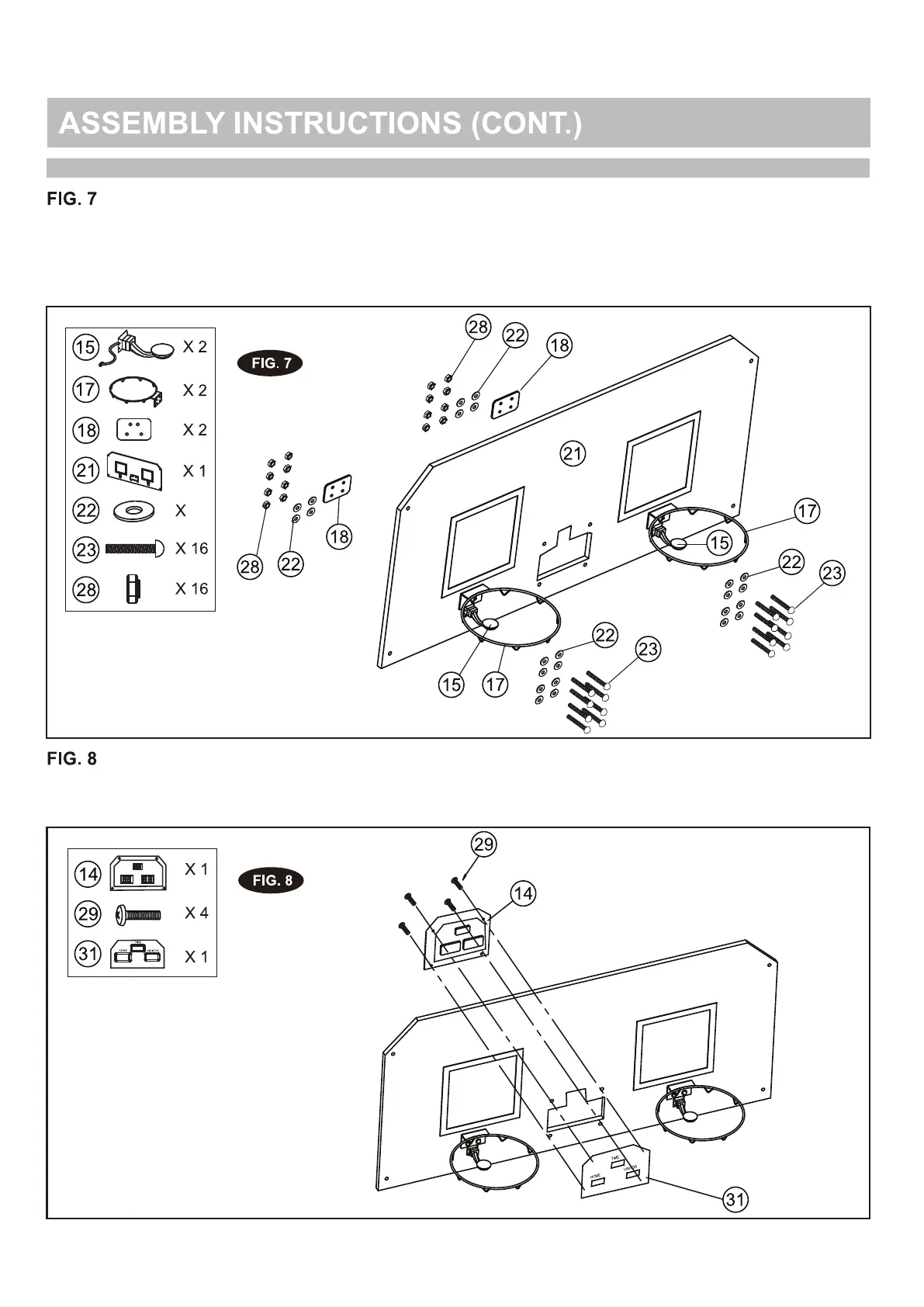
11. Attach the rims (17) and rim support plates (18) to the backboard (21) using the bolts (23),
washers (22) and nuts (28). Attach the switch sensors (15) to the backboard (21) using the bolts
(23), washers (22) and nuts (28).
NOTE: Make sure you use the washer on both sides of the backboard as shown in FIG. 7.
12. Attach the electronic scorer face plate (31) to the front of the backboard, then connect with the
electronic scorer (14), using the bolts (29) as shown in FIG. 8.
24
-51-


 To Next Page