Need help?
Do you have a question about the HOMCOM A90-198 and is the answer not in the manual?
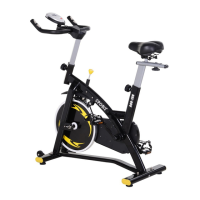
This document serves as a user manual for the HOMCOM A90-198 indoor exercise bike, identified by the model number INada082V01_UK. It provides comprehensive instructions for assembly, safe operation, and maintenance of the unit.
The HOMCOM A90-198 is a home-use exercise bike designed for cardiovascular workouts. It allows users to engage in cycling exercises indoors, providing a controlled environment for fitness training. The bike features adjustable resistance, enabling users to customize the intensity of their workouts. A built-in monitor tracks various exercise metrics, offering feedback on performance and progress. The design emphasizes stability and user comfort, with adjustable components to accommodate different body types.
The exercise bike is designed for individual home use, with a maximum user weight capacity of 275 lbs (125 kg). It is important to note that this bike does not free-wheel, meaning the pedals continue to move as long as the flywheel is in motion. An emergency brake, integrated into the tension knob, allows for immediate stopping of the bike during exercise by pulling up or pushing down.
The bike's computer monitor provides several key functions to track workout progress:
To operate the computer, two AA batteries (not provided) are required. Users can select specific functions by pressing the MODE button. Holding the MODE button for 4 seconds resets the computer. The computer automatically turns off after 4 minutes of inactivity to conserve battery power and can be restarted by pressing any key. Heart rate monitoring is achieved by placing thumbs on the heart rate sensor.
Resistance adjustment is a key feature, allowing users to increase or decrease workout intensity by turning the tension control knob to the right (harder) or left (easier).
The bike offers several adjustable components to ensure a comfortable and effective workout for various users:
Safety is paramount, and users are advised to read the entire manual before assembly and use. Important precautions include keeping children and pets away from the equipment, not leaving them unsupervised, and ensuring the appliance is not used as a toy. Users should wear suitable clothing and footwear, tying all laces/cords correctly to prevent entanglement. If dizziness, nausea, chest pains, or any other symptoms occur, exercise should be stopped immediately, and medical attention sought. The bike should be used on a level, solid surface, preferably with a mat. A parameter distance of 3 feet (1 meter) is required around the unit during operation. The bike is not suitable for therapeutic use, and a physician should be consulted before starting an exercise program, especially for individuals over 35 or with health problems.
Regular maintenance is crucial for prolonging the life of the spin bike and preventing injury. The manual outlines several routine maintenance tasks:
The manual also emphasizes the importance of functional and visual inspections after assembly is complete. All warning labels should be reviewed, and any damaged, illegible, or removed labels should be replaced, obtainable from the Parts & Service location.
 General
| Resistance | Magnetic |
|---|---|
| Adjustable Seat | Yes |
| Resistance Type | Magnetic |
| Transport Wheels | Yes |
| Material | Steel |
| Color | Black |

 To Next Page