INSTRUCTIONS FOR ASSEMBLY
• Before you start to assemble, please check the hardware packaging to make sure all
parts are included.
• Each step has its own packet of bolts and nuts (look for sticker indicating what step the
packet will be used for).
• Ensure all nuts and bolts are tightened properly before moving onto the next step.
• Test the Plastic Dome Caps (45) on the Nylon Nuts (70) for best fit.
• Basic tools, such as an Allen Key will be provided for assembly but additional tools will be
required for completeand safe assembly.
IMPORTANT NOTICE: Some of the smaller parts may be pre-fitted to larger components,
please ensure you check carefully before contacting us regarding any missing parts.
HARDWARE & TOOLS LIST
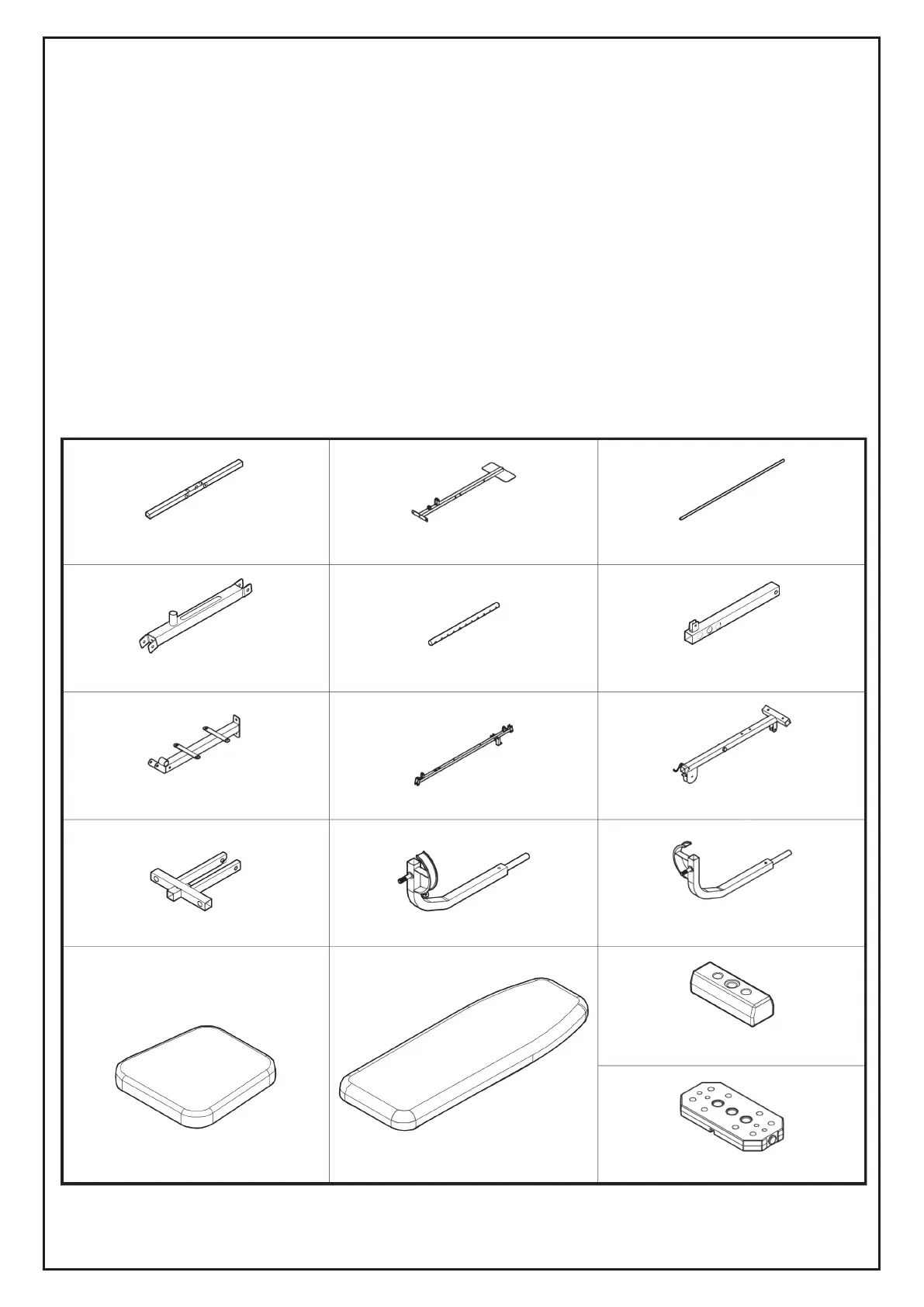
#1 REAR BASE FRAME (1 PC)
#7 SEAT BASE FRAME ( 1 PC)
#13 SEAT CUSHION (1 PC)
#4 FRONT SUPPORT FRAME (1 PC)
#10 PRESS BAR (1 PC)
#2 FRONT BASE FRAME (1 PC)
#8 SUPPORT FRAME (1 PC)
#14 BACK CUSHION (1 PC)
#5 SELECTOR SHAFT (1 PC)
#11 LEFT BUTTERFLY ARM ( 1 PC)
#3 WEIGHT GUIDE TUBE (2 PCS)
#9 UPPER CROSS BEAM (1 PC)
#16 WEIGHT PLATE (9 PCS)
#15 TOP WEIGHT PLATE (1 PC)
#6 LEG EXTENSION FRAME (1 PC)
#12 RIGHT BUTTERFLY ARM ( 1 PC)
28



 To Next Page