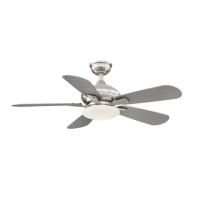
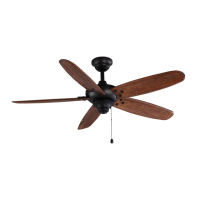
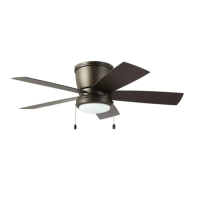
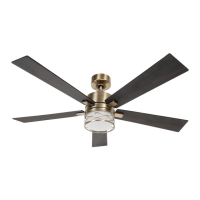
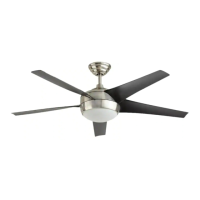
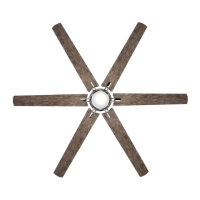
This document is a user manual for the Folsom 60 in. Ceiling Fan, model #YG523-BN, item #731 146, from the Home Decorators Collection.
Function Description
The Folsom 60 in. Ceiling Fan is designed to provide air circulation and illumination for indoor spaces. It supports dual mounting options: standard ceiling mounting and close-to-ceiling mounting, making it adaptable to various room heights. The fan is equipped with a remote control for convenient operation, allowing users to adjust fan speed, turn the light on/off, and control brightness. It also features a reverse switch for seasonal operation, enabling the fan to create a cooling downdraft in warm weather and an upward airflow to redistribute warm air in cool weather.
Important Technical Specifications
The fan operates at three speeds: low, medium, and high.
- Low Speed: 0.24 Amps, 12.38 Watts, 70 RPM, 1904 CFM, 12.7 kg (27.94 lbs.) N.W., 14.44 kg (31.77 lbs.) G.W., 2.91 C.F.
- Medium Speed: 0.4 Amps, 33.68 Watts, 134 RPM, 3950 CFM.
- High Speed: 0.55 Amps, 65.34 Watts, 200 RPM, 6014 CFM.
The fan uses a 21-watt LED light kit. It is powered by a 12V MN21/A23 battery (NN) for the remote control. The fan is designed for rooms with ceilings 8 ft. or higher, or in areas where additional space is desired from the floor to the fan blades. For standard downrod installation, the distance from the ceiling to the bottom of the fan blades is approximately 12 inches. For close-to-ceiling installation, this distance reduces to approximately 9 inches. The maximum angle allowable for sloped ceilings is 18° away from horizontal. The fan is UL listed, indicating compliance with safety standards.
Usage Features
The fan offers flexible installation with two types of hanging assemblies: standard ceiling mounting using the downrod with ball and socket mounting, and close-to-ceiling mounting. The choice of mounting depends on the room's ceiling height and aesthetic preference.
Remote Control Operation:
- Fan Speed: Buttons for HI, MED, LOW set the fan speed.
- OFF Button: Turns the fan off.
- Light Control: A button with a light bulb icon turns the light on or off and controls brightness. Press and hold this button to set the desired brightness. The light button has an auto-resume feature, retaining the last brightness setting. The dimming of the LED is only possible with the installation of the receiver and the use of the remote. Wall slide controls used to bypass the remote will not be able to dim the light.
Reverse Switch Operation:
- Warm Weather (Counter-clockwise Direction): A downward air flow creates a cooling effect. This allows you to set your air conditioner on a warmer setting without affecting your comfort.
- Cool Weather (Clockwise Direction): An upward air flow moves warm air off the ceiling. This allows you to set your heating unit on a cooler setting without affecting your comfort.
The remote control should be installed in a convenient location, away from direct sunlight or heat sources. The fan must be installed at a maximum distance of 20 ft. from the remote control for proper signal transmission.
Maintenance Features
Regular maintenance is crucial for the fan's longevity and optimal performance.
- Check Support Connections: Periodically check the support connections, brackets, and blade attachments to ensure they are secure. Some movement may occur over time due to the fan's natural movement.
- Clean Fan Periodically: Use only a soft brush or lint-free cloth to avoid scratching the finish. The plating is sealed with a lacquer to minimize discoloration or tarnishing. Do not use water when cleaning, as it can damage the motor or wood, or cause an electrical shock.
- Apply Light Coat of Furniture Polish: Optionally, apply a light coat of furniture polish to the wood blades.
- Cover Small Scratches: Optionally, cover small scratches with a light application of shoe polish.
- Oil Motor: Apply oil to your fan motor. The motor has permanently-lubricated sealed ball bearings, so additional oiling is not required.
- Troubleshooting: The manual provides a comprehensive troubleshooting guide for common issues such as the fan not starting, fan noises, remote control not working, and fan wobbles. This includes checking circuit breakers, wiring connections, frequency switches, motor housing screws, blade attachment screws, and ceiling box security. For fan wobbles, it suggests verifying blade bracket screws, ensuring blades are secure, and using the provided balancing kit if necessary. If wobbling persists after balancing, customer service should be contacted.
The manual emphasizes safety precautions, including the importance of professional installation for electrical work, ensuring proper grounding, and avoiding the use of wall light dimmer switches with the fan. It also provides contact information for customer service for any questions, problems, or missing parts.

 Need help?
 General

 To Next Page