EasyManua.ls Logo

Home Decorators Collection WINDWARD IV - User Manual

Home Decorators Collection WINDWARD IV
16 pages
Print Icon
To Next Page IconTo Next Page
Loading...
USE AND CARE GUIDE
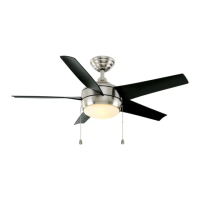
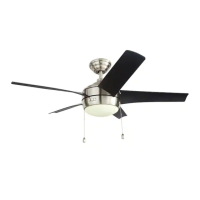
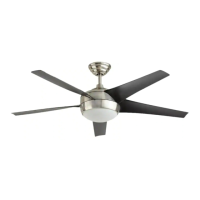
WINDWARD IV 52-INCH CEILING FAN
Item #1002 543 114, 1002 543 113,
1002 543 115, 1002 543 116
Model #91662, 91663, 91661, 91666
UL Model #52-WWDIV
To view an instructional video on how to install this product:
1. Go to www.homedepot.com and enter either the Item or Model number, found in the top
right corner of the cover of this instruction manual, in the search eld.
2. Click on your product from the list of search results and click on the video link in the
“Product Overview” section.
Questions, problems, missing parts? Before returning to the store,
call Home Decorators Collection Customer Service
8 a.m. - 6 p.m., EST, Monday-Friday.
1-800-986-3460
HOMEDEPOT.COM/HOMEDECORATORS
THANK YOU
We appreciate the trust and condence you have placed in Home Decorators Collection through the purchase of this ceiling fan. We strive
to continually create quality products designed to enhance your home. Visit us online to see our full line of products available for your home
improvement needs. Thank you for choosing Home Decorators Collection!

Questions and Answers

  • R
    Rodney WhiteJul 28, 2025
    What to do if my Home Decorators Collection WINDWARD IV Fan will not start?
    • J
      Jeffrey WolfJul 29, 2025
      If your Home Decorators Collection Fan won't start, here are some things to check: * First, check the main and branch circuit fuses or breakers. * Next, check the line wire connections to the fan and switch wire connections in the switch housing. * Also, check the battery in the remote control. * Make sure you are within the normal operating range of 10-20 feet. * Finally, turn the power off and ensure that the dip switch settings are the same on both the remote control and the receiver.
  • A
    Ashley HillAug 7, 2025
    Why is my Home Decorators Collection WINDWARD IV Fan so noisy?
    • C
      Christopher ObrienAug 7, 2025
      If your Home Decorators Collection Fan is making noise, here's what you can check: 1. Make sure all motor housing screws are snug. 2. Ensure the screws attaching the fan blade bracket to the motor hub are tight. 3. Confirm the wire nut connections aren't rattling against each other or the inside of the switch housing. 4. Allow the fan a 24-hour 'breaking in' period, as most noises disappear during this time. 5. If using a light kit, ensure the screws securing the glassware are tight and the bulbs are secure. 6. Verify the canopy has a small gap and isn't touching the ceiling. 7. Check that the outlet box is secure and rubber isolator pads were used between the mounting plate and the outlet box.
  • T
    Tracy DayAug 17, 2025
    How to fix a wobbling Home Decorators Collection Fan?
    • J
      James PattersonAug 17, 2025
      To fix a wobble in your Home Decorators Collection Fan, try the following: * First, check that all blade and blade arm screws are secure. * Next, check the blade levels as unequal blade levels often cause wobble. Measure from a point on the ceiling to the tip of each blade; any deviation should be within 1/8 inch. * If the fan continues to wobble after these checks, run the fan for ten minutes. If the issue persists, please contact Hampton Bay Customer Service to receive a balancing kit at no charge.

Summary

Safety Information

Warranty

Pre-Installation Details

Fan Specifications

Details fan performance metrics like airflow, power consumption, and efficiency.

Required Tools for Installation

Lists all necessary tools for fan installation.

Included Hardware

Identifies screws, nuts, and gaskets provided with the fan.

Package Contents Overview

Lists all components included in the fan's packaging.

Installation Guide

Mounting Options

Explains different methods for mounting the fan to the ceiling outlet box.

Fan Assembly

Standard Ceiling Mount Assembly

Steps for preparing, routing wires, and assembling the fan for standard mounting.

Close-To-Ceiling Mount Assembly

Steps for mounting the fan directly to the ceiling without a downrod.

Attaching Fan to Electrical Box

Securing the fan's mounting bracket to the ceiling electrical box.

Hanging the Fan Motor Assembly

Safely lifting and seating the fan motor onto the mounting bracket.

Remote Control and Receiver Setup

Configuring remote control codes and installing the receiver unit.

Wiring Connections

Connecting the receiver to household wiring and the fan motor.

Final Fan Mounting and Blade Attachment

Finalizing the fan's position and attaching the blades securely.

Light Kit Installation

Attaching the light kit pan, fitter assembly, bulbs, and glass bowl.

Fan Operation

Remote Control Functions

Explains how to use the remote to control fan speed, lights, timers, and features.

Care and Cleaning

Troubleshooting Common Issues

Home Decorators Collection WINDWARD IV Specifications

General IconGeneral
TypeCeiling Fan
Number of Blades5
Light Kit IncludedYes
Control TypeRemote Control
Light TypeLED
DimmableYes
Indoor/OutdoorIndoor
Light IncludedYes
Blade Span52 inches
Motor TypeAC Motor
FinishBrushed Nickel
Mounting OptionsDownrod Mount
Motor Speed3-speed
MaterialMetal
WarrantyLifetime

Related product manuals