EasyManua.ls Logo

Home Decorators Collection CARLEY CF2003-W - User Manual

Home Decorators Collection CARLEY CF2003-W
20 pages
Print Icon
To Next Page IconTo Next Page
Loading...
USE AND CARE GUIDE
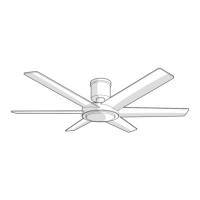
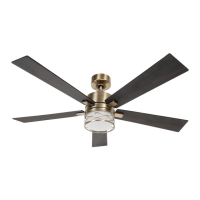
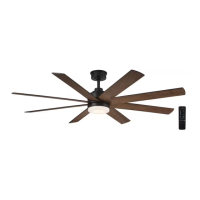
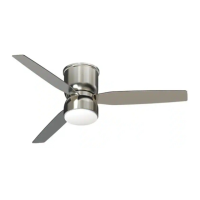
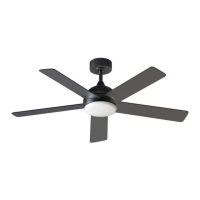
CARLEY 52-INCH SMART CEILING FAN
Questions, problems, missing parts? Before returning to the store,
call Home Decorators Collection Customer Service
8 a.m. - 7 p.m., EST, Monday-Friday, 9 a.m. - 6 p.m., EST, Saturday.
1-800-986-3460
HOMEDEPOT.COM/Hubspace
SKU# 1008962820 1008926738 1008962368
Model #CF2003-W, CF2003-B, CF2003-N
THANK YOU
to continually create quality products designed to enhance your home. Visit us online to see our full line of products available for your home
improvement needs. Thank you for choosing Home Decorators Collection!

Questions and Answers

  • K
    kmartinezAug 5, 2025
    What to do if Home Decorators Collection CARLEY CF2003-W is uncontrollable by remote device?
    • D
      Donald ClarkAug 5, 2025
      If your Home Decorators Collection Fan is uncontrollable by remote device, make sure there is no disturbance from same frequency controller. If needed, you may rematch the device according to guidance.
  • J
    Jim FrankAug 10, 2025
    How to troubleshoot a Home Decorators Collection Fan that will not start?
    • J
      Jesus KelleyAug 10, 2025
      If your Home Decorators Collection Fan doesn't start, first ensure the wall switch is in the 'on' position. Then, check the main and branch circuit fuses or breakers. Verify that the fan is properly connected to a power source. Finally, inspect the remote control's battery and confirm that the transmitter and receiver are correctly matched.
  • D
    David StevensAug 15, 2025
    Why is my Home Decorators Collection CARLEY CF2003-W Fan so noisy?
    • N
      natalie09Aug 15, 2025
      If your Home Decorators Collection Fan is making unusual noise, make sure the fan wasn't damaged before it was installed. Check that the screws attaching the fan blade bracket to the motor hub are tightened correctly. Also, ensure the hanging units are securely fixed and tight. Confirm that the glass shade is properly secured and check the motor assembly for any debris.
  • A
    afloydAug 20, 2025
    What to do if my Home Decorators Collection CARLEY CF2003-W Fan wobbles?
    • P
      Patricia RodriguezAug 20, 2025
      If your Home Decorators Collection Fan wobbles, first make sure the screws that attach the fan blade bracket to the motor hub are tight and that the hanging units are fixed and tight. Remember that blades cannot be replaced by other types because different weight and density of blades will affect the balance while working. If it still wobbles, adjust the fan using the balancing kit guide.
  • J
    Joy KingAug 25, 2025
    How to fix the lighting source on a Home Decorators Collection Fan?
    • T
      tracy89Aug 26, 2025
      If the light on your Home Decorators Collection Fan isn't working, check the power connection from the fan to the electrical power supply. Then, ensure the terminal from the LED module is properly connected. Finally, check the LED Module itself for any signs of damage.
  • R
    Rhonda WestAug 30, 2025
    Why does my Home Decorators Collection CARLEY CF2003-W move backwards and forwards when turned on?
    • J
      Jessica RodriguezAug 30, 2025
      If your Home Decorators Collection Fan moves backwards and forwards when turned on, this is normal start-up procedure for DC motor fans.

Summary

Ceiling Fan Safety Information

READ AND SAVE THESE INSTRUCTIONS

Essential safety instructions to be read and saved before proceeding with fan installation and use.

General Safety Warnings

Critical warnings for safe installation and operation, covering shock, fire, and injury risks.

FCC Compliance Information

Wireless Connectivity Protocols

Product Warranty Details

Pre-Installation Guide

Fan Specifications

Detailed technical specifications including size, speed, voltage, amps, watts, RPM, CFM, and weight.

Required Installation Tools

Lists the necessary tools for installation, such as screwdrivers, wrench, and tape.

Included Hardware Components

Lists all hardware components provided with the fan for assembly and installation.

Package Contents Overview

Visual breakdown and list of all parts included in the fan package.

Ceiling Fan Installation

Fan Mounting Options

Describes different methods and considerations for mounting the fan to the ceiling outlet box.

Fan Assembly and Hanging

Mounting Bracket Installation

Step-by-step guide for securely attaching the fan's mounting bracket to the ceiling outlet box.

Downrod to Motor Assembly Attachment

Instructions for connecting the downrod to the fan motor assembly, including wiring.

Canopy and Coupling Cover Attachment

Steps for fitting the coupling cover, canopy cover, and canopy onto the downrod.

Hanging Fan Motor to Bracket

Guide on lifting and securing the fan motor assembly onto the installed mounting bracket.

Electrical Connection Procedures

Detailed instructions for connecting the fan's wiring to the house supply, including receiver installation.

Securing Fan Canopy

Instructions for attaching and tightening the canopy to the mounting bracket for a secure fit.

Fan Blade Installation

Steps for attaching the fan blades to the motor assembly using screws and washers.

Light Housing Installation

Guide for attaching the light housing to the fan motor assembly using screws.

LED Module Installation

Instructions for connecting the LED module and securing it within the light housing.

Plastic Shade Installation

Steps for attaching the plastic shade to the light assembly.

Remote Control Cradle Mounting

Instructions for installing the remote control holder on a wall or switch plate.

Remote Control Operation

Remote Control Features Explained

Explains how to use the remote control to operate fan speed, lights, and direction.

Remote Control Button Functions

Details the function of each button on the remote control and their corresponding actions.

Smart Fan Setup and Operation

Hubspace App Setup

Guide to downloading the Hubspace app and creating an account for smart control.

Connecting Fan and Smart Features

Steps for connecting the fan to Wi-Fi and using app features like schedules and voice control.

Smart Fan Voice Commands

Alexa Voice Command Guide

List of voice commands compatible with Amazon Alexa for controlling the fan.

Google Assistant Voice Command Guide

List of voice commands compatible with Google Assistant for controlling the fan.

Fan Care and Cleaning Instructions

Ceiling Fan Troubleshooting Guide

Troubleshooting: Fan Start & Noise Issues

Solutions for common issues like the fan failing to start or making noise.

Troubleshooting: Wobble & Lighting Problems

Troubleshooting steps for fan wobble and problems with the lighting source.

Troubleshooting: Remote & Direction Issues

Addresses problems with remote control operation and unexpected fan movement direction.

Troubleshooting: Wi-Fi & Connectivity

Solutions for issues related to Wi-Fi connection, network discovery, and QR code scanning.

Home Decorators Collection CARLEY CF2003-W Specifications

General IconGeneral
BrandHome Decorators Collection
ModelCARLEY CF2003-W
CategoryFan
LanguageEnglish

Related product manuals