EasyManua.ls Logo

Home Decorators Collection DIALSTONE AK480-BN - User Manual

Home Decorators Collection DIALSTONE AK480-BN
15 pages
Print Icon
To Next Page IconTo Next Page
Loading...
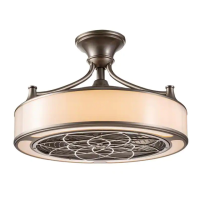
23 IN. DIALSTONE
INDOOR/COVERED OUTDOOR CEILING FAN
We appreciate the trust and condence you have placed in Home Decorators Collection through the purchase of this ceiling fan. We
strive to continually create quality products designed to enhance your home. Visit us online to see our full line of products available for
your home improvement needs. Thank you for choosing Home Decorators Collection!
THANK YOU
USE AND CARE GUIDE
Visual instruction of how to install this fan:
Visit www.homedepot.com and enter either the Item or Model number to nd
this fan and click the link of visual instruction in the product overview section.
Questions, problems, missing parts? Before returning to the store,
call Home Decorators Collection Customer Service
8 a.m. - 7 p.m., EST, Monday - Friday, 9 a.m.- 6 p.m., EST, Saturday
1-800-986-3460
HOMEDEPOT.COM/HOMEDECORATORS
Item #1008 613 986
1008 590 333
Model #AK480-BN
AK480-MBK

Questions and Answers

  • P
    Patricia BeckerAug 11, 2025
    What to do if my Home Decorators Collection DIALSTONE AK480-BN will not start?
    • H
      hernandezkaylaAug 11, 2025
      Check the main and branch circuit fuses or breakers. Also, inspect the line wire connections to the fan and switch wire connections in the switch housing. Make sure the frequency switches from the remote control and receiver are set to the same frequency.
  • R
    Rachel StewartAug 21, 2025
    Why is my Home Decorators Collection DIALSTONE AK480-BN wobbling?
    • K
      Keith RichardsAug 21, 2025
      Fan wobble is often due to loose parts. Make sure all blades and blade bracket screws are secure. After proper installation, let the ceiling fan run for 10 minutes to self-adjust. If wobbling continues, check blade level: measure from each blade center to a point on the ceiling, ensuring deviations are within 1/8 inch. If deviations exceed 1/8 inch, contact Customer Service at 1-800-986-3460 to order complimentary bracket replacements. If deviations are less than 1/8 inch, call Customer Service to order a Blade Balancing Kit.
  • A
    angelagardnerAug 30, 2025
    How to fix a noisy Home Decorators Collection DIALSTONE AK480-BN Fan?
    • C
      Charles FosterAug 30, 2025
      To reduce noise from your fan, ensure all motor housing screws are snug and the screws attaching the fan blade to the motor hub are tight. Check that wire nut connections are not rattling. Allow a 24-hour "breaking-in" period for new fans. If using a ceiling light kit, make sure the glassware is secured tightly and that the canopy doesn't touch the ceiling. Also, confirm that the ceiling box is secure with rubber isolator pads between the mounting bracket and outlet box.

Home Decorators Collection DIALSTONE AK480-BN Specifications

General IconGeneral
BrandHome Decorators Collection
ModelDIALSTONE AK480-BN
CategoryFan
LanguageEnglish

Related product manuals