16
Maintenance
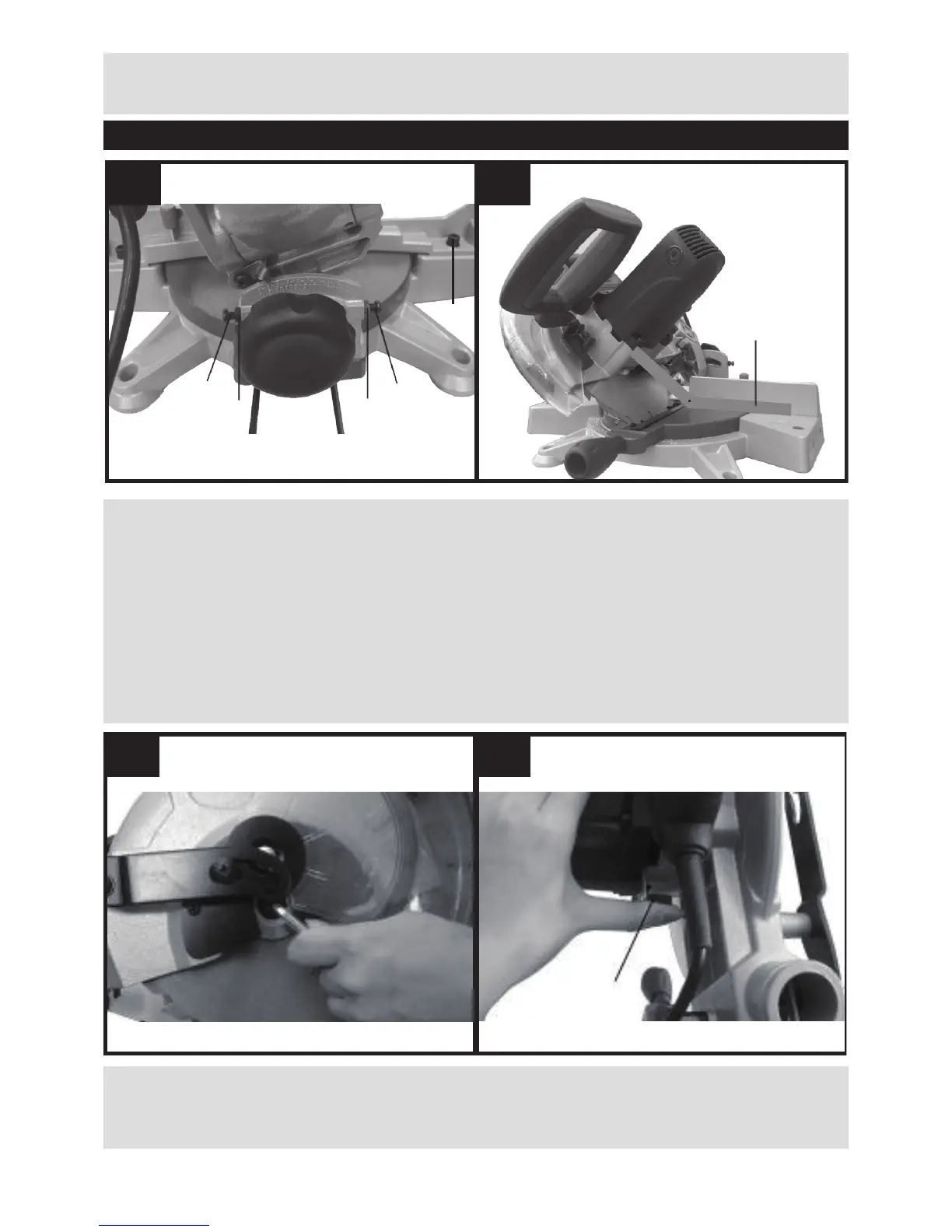
2. Changing the saw blade (See Fig. M, N)
Disconnect the saw from the power supply.
Lower the saw head until the blade securing bolt can be seen.
Press blade spindle lock (f) and rotate the blade until it is locked, then loosen and remove the
blade securing bolt, and outer ange with the hex key in clockwise direction.
NOTE: Blade securing bolt has a left hand thread.
Remove the blade, (we recommend the use of a stout glove for this). Clean any saw dust and
debris from the arbor and saw blade securing anges.
To ret the blade, follow the above procedure in reverse order. If you want to take the inner
ange out for cleaning, ret it as shown in Fig. O.
3. Replacing the carbon brushes (See Fig. P)
- Check the carbon brushes regularly. If the carbon brushes are worn down to about 4mm,


 To Next Page