EasyManua.ls Logo

homelabs 160 PPD - User Manual

Default Icon
9 pages
Print Icon
To Next Page IconTo Next Page
Loading...
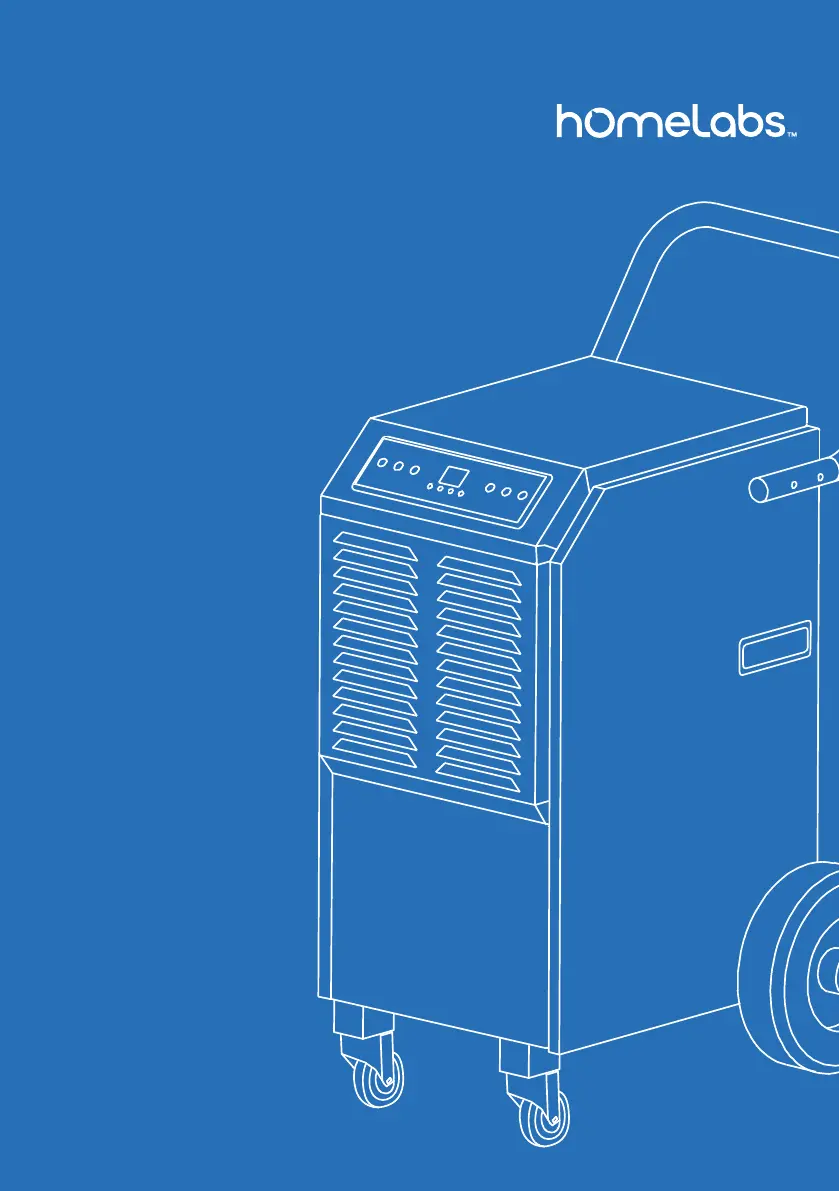
Commercial
Dehumidifier
160 PPD (HME021007N)
140 PPD (HME020437N)
Thank you for purchasing
our appliance. Please be sure
to read the entirety of this
user manual carefully prior
to using this appliance. If you
have any questions regarding
the use of this product,
please call 1-(800)-898-3002.
SKU: HME020437N
SKU: HME021007N

Questions and Answers

  • C
    caleb17Aug 7, 2025
    Why is my homelabs 160 PPD Dehumidifier running but not dehumidifying?
    • S
      samantha63Aug 7, 2025
      If your homelabs Dehumidifier runs but doesn't seem to be removing moisture from the air, there might be a few reasons: * It might simply need more time to work. * The humidity level setting could be too high; try lowering it. * Check for open doors or windows that are letting in more moisture. * Make sure there isn't anything in the room, like a kerosene heater, that's producing water vapor.
  • C
    conwayrebeccaAug 13, 2025
    How to fix homelabs 160 PPD Dehumidifier that does not run?
    • M
      Matthew SanchezAug 13, 2025
      If your homelabs Dehumidifier isn't running, here are a few things to check: 1. Ensure the dehumidifier is fully plugged into the outlet. 2. Check your fuse or circuit breaker and replace the fuse or reduce the number of devices using power on that circuit. 3. The unit might not be operating correctly if the room temperature is below 41°F or above 100.4°F. Use it within this temperature range.
  • L
    leepeterAug 19, 2025
    Why is my homelabs Dehumidifier making a loud aspirating noise?
    • A
      Ana ArmstrongAug 19, 2025
      If your homelabs Dehumidifier is making a loud noise, it could be due to a few reasons. First, make sure the appliance is placed on a flat surface. An uneven surface can cause unusual noises. Also, check the filter mesh; if it's jammed, cleaning it should solve the problem.
  • M
    Mary DiazAug 26, 2025
    What to do if there is water on the floor near my homelabs Dehumidifier?
    • S
      suzannekerrAug 26, 2025
      If you notice water on the floor near your homelabs Dehumidifier, it's likely due to a loose hose connection. Double-check that the hose is securely connected to the connector. Also, inspect the hose for any kinks and straighten them out.
  • E
    erika97Aug 31, 2025
    Why is my homelabs Dehumidifier capacity reduced?
    • T
      Travis ChanAug 31, 2025
      If your homelabs Dehumidifier's capacity seems reduced, it might be because the filter mesh is clogged. Try cleaning the filter mesh. Also, check the air-in and air-out louvers for any blockages and clear them.

Summary

Before First Use

Initial Unit Placement

Keep the unit upright for 24 hours before plugging it in to prevent internal damage.

Important Safety Instructions

Product Description and Refrigerant

Dehumidifier uses R32 refrigerant, which is flammable and requires careful handling.

General Safety Rules

Covers electrical safety, proper operation, and avoiding hazards like water exposure and ignition sources.

Flammable Refrigerant Precautions

Specific warnings regarding R32's flammability, including ventilation and leak detection.

Servicing and Repair Guidelines

Safety protocols for qualified technicians working on refrigerant circuits and electrical components.

Installation and Accessories

Included Accessories

Lists and describes the parts included with the dehumidifier for assembly.

Installation Area Requirements

Warning about room size (min 4 m²) and avoiding areas with potential flammable gas leaks.

Installation Steps

Handle Attachment

Instructions for securely mounting the handle to the dehumidifier sides.

Caster and Wheel Mounting

Step-by-step guide for attaching casters and wheels using provided hardware.

Drain Hose Connection and Usage

Guide on connecting the drain hose and precautions against blocking or improper positioning.

Operation - Positioning and Control Panel

Appliance Positioning Guidelines

Ensure unit is upright for 24 hours before use and operates within 41°F-90°F (5°C-32°C).

Control Panel Overview

Description of buttons and indicators on the control panel for operation.

Operation - Modes and Functions

Basic Operation Controls

Instructions for turning the unit on/off, setting timers, and adjusting humidity levels.

Advanced Operation Modes

Explanation of continuous mode, automatic defrost, and water drainage procedures.

Error Code Explanations

Information on error codes (E1, E2) and troubleshooting steps involving sensors.

Operation - Protection and Maintenance

Protection Code FL

Explanation of the FL protection code related to water full switch or pump failure.

Cleaning Procedures

Instructions for cleaning the appliance exterior and the air filter for optimal efficiency.

Maintenance and Storage

Storage Requirements

Steps for storing the unit when unused, including drying the evaporator and proper covering.

Troubleshooting

Common Operational Problems

Troubleshooting for issues like appliance not running, not dehumidifying, or reduced capacity.

Noise and Leakage Issues

Solutions for loud noise, air inlet blockages, and water leaks on the floor.

Warranty Information

Warranty Coverage and Exclusions

Details the limited one-year warranty, coverage, exclusions, and claim process.

Manufacturing and Model Details

Provides model numbers and specifies refrigerant-related applicability.

Specifications

Electrical and Performance Specs

Details voltage, frequency, power consumption, current, capacity, and noise level.

Refrigerant and Pressure Specs

Information on refrigerant type, capacity, and maximum design pressure.

Contact and Support

Customer Support Channels

Provides contact options via chat, email, and website for support and inquiries.

homelabs 160 PPD Specifications

General IconGeneral
Brandhomelabs
Model160 PPD
CategoryDehumidifier
LanguageEnglish

Related product manuals