Need help?
Do you have a question about the Honda 2005 Accord Coupe and is the answer not in the manual?
Introduces Honda Music Link for playing music from an iPod on vehicle audio systems.
Details the dealer-installed Music Link cable, Quick Reference Guide, and Honda Music Link CD.
Lists compatible iPod generations, firmware updates, and connection requirements.
Specifies operating system and iTunes version requirements for Mac and PC.
Instructions on how to connect your iPod to the vehicle's Music Link cable.
Steps for safely disconnecting your iPod from the Music Link system.
Explains how to control iPod functions using the car's audio system buttons.
Details how to control iPod playback via the navigation screen interface.
Guide to initiating music playback after connecting the iPod.
Describes how to choose shuffle albums or shuffle songs modes.
Explains the Honda TTS software for voice prompts and enhanced music search.
Details how music info tags (Artist, Album, Genre) are used by Honda TTS.
Prerequisites and checks before installing the Honda TTS software.
Step-by-step instructions for installing Honda TTS on Mac and PC.
Procedure for removing Honda TTS software from computer systems.
How to launch and use Honda TTS for updating music information.
Customizing voice and speed for TTS prompts on Mac and PC.
How to control Music Link and play modes via audio system with TTS.
How to control Music Link and play modes via navigation system with TTS.
How to search playlists and artists using Honda TTS and audio controls.
How to search albums and genres using Honda TTS and audio controls.
How to shuffle albums or all songs using Honda TTS.
Advice on playback, search delays, disc selection, and A.SEL/RDM button usage.
Notes on TRACK RANDOM button usage with the navigation system.
Recommendations for iTunes settings, synchronization, and music tag best practices.
Contact details for Honda Automobile Customer Service and FAQs.
Information on where to find the latest Honda TTS software and updates.
 General
| MP3 Playback | Not Available |
|---|---|
| Navigation System | Optional |
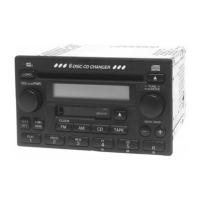
| Audio System | AM/FM radio |
| Antenna | fixed mast |
| CD Changer | Optional 6-disc CD changer |
| Speakers | 6 Speakers |

 To Next Page