68 Navigation System
Driving to Your Destination
Entering a Destination from the
Menu Screen (while en route)
If you say “Menu” or press the MENU
button twice, the system displays the
Enter destination by screen. Follow
the procedure described in Entering a
Destination, which begins on page 21.
After selecting OK to the Calculate
route to screen, your new location can
be used either as a waypoint or as a
replacement destination.
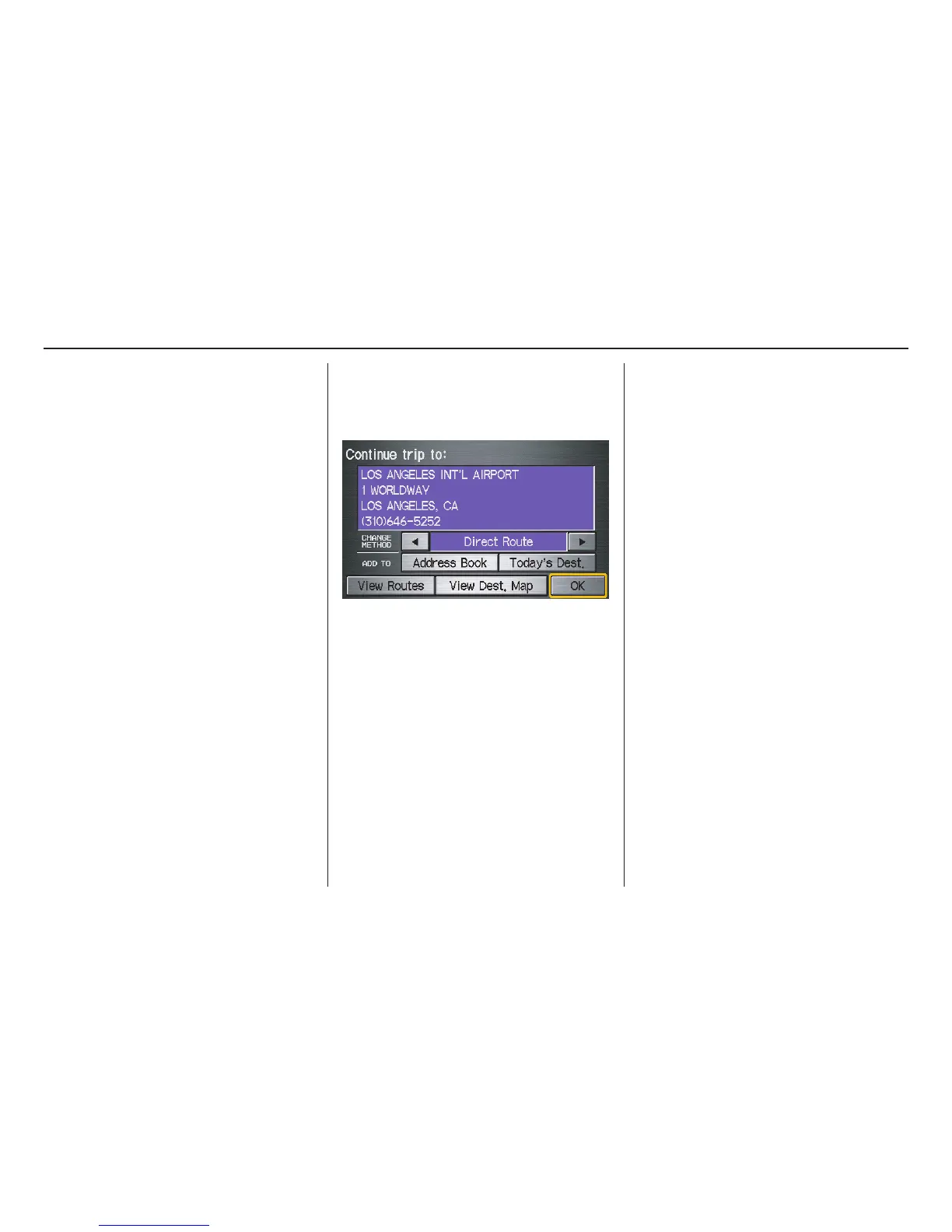
Continue Trip Screen
If you restart the vehicle without having
completed your prior trip, you will see
the following screen:
• To continue to your destination or
other waypoints, say or select OK.
• To cancel your destination, press the
CANCEL button or the NAVI
BACK button on the steering wheel,
or using the voice control system, say
“Cancel” or “Back.”
• If you wish to change the route
method, say or select CHANGE
METHOD.
• For additional information on
changing the routing method, see
Changing the Routing Method on
page 46.



 To Next Page
 Loading...