d
Press the sel switch to the .
The clock is set, and then the display
moves to the backlight brightness
adjustment.
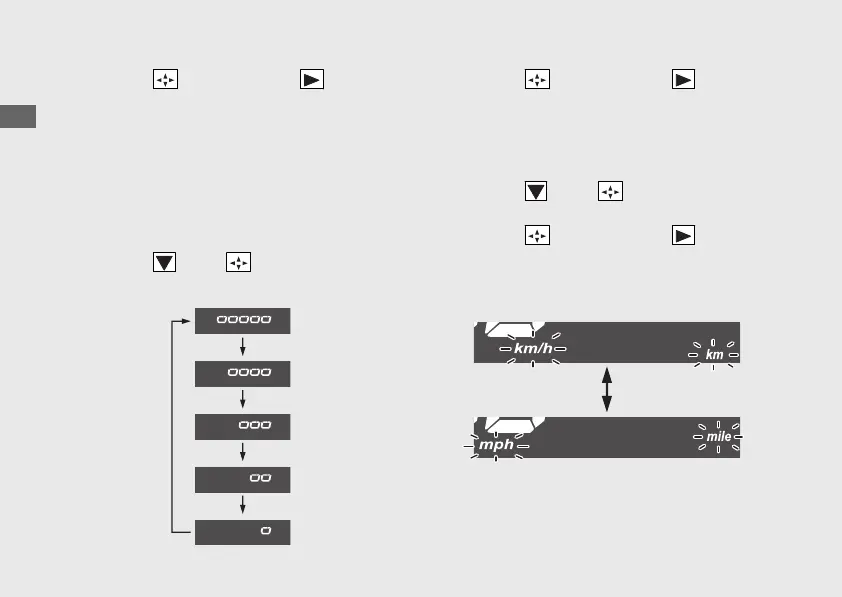
3 Backlight brightness adjustment:
You can adjust the brightness to one of five
levels.
a
Press the of the sel switch.
The brightness is switched.
b
Press the sel switch to the .
The backlight is set, and then the display
moves to the changing of the mileage unit.
4 Changing of mileage unit:
a
Press the of the sel switch to select
either “km/h” and “km” or “mph” and “mile”.
b
Press the sel switch to the . The
mileage unit is set, and then the display
moves to the changing of the fuel mileage
meter unit.
20221109171351_32K2LA000_eng_BOOK Page 37 Wednesday, November 09 2022 17:20:28 JST
Operation Guide
34
Instruments (Continued)


 To Next Page
 Loading...