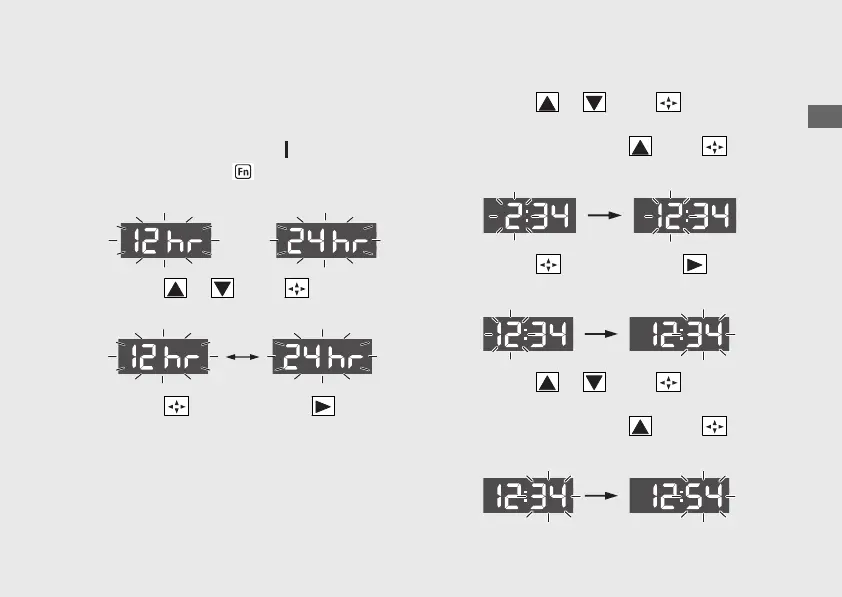
1 Time format setting:
You can switch the time format between 12
hour format or 24 hour format.
a
Turn the ignition switch to (On) position.
b
Press and hold the function switch, the
current time format start flashing.
c
Press the or of the sel switch to
select “12 hr” or “24 hr”.
d
Press the sel switch to the . The time
format is set, and then the display moves to
the clock setting.
2 Clock setting:
a
Press the or of the sel switch
until the desired hour is displayed.
u Press and hold the of the sel
switch to advance the hour fast.
b
Press the sel switch to the . The
minute digits start flashing.
c
Press the or of the sel switch
until the desired minute is displayed.
u Press and hold the of the sel
switch to advance the minute fast.
20221109171351_32K2LA000_eng_BOOK Page 36 Wednesday, November 09 2022 17:20:28 JST
Operation Guide
33
Continued
or














 To Next Page