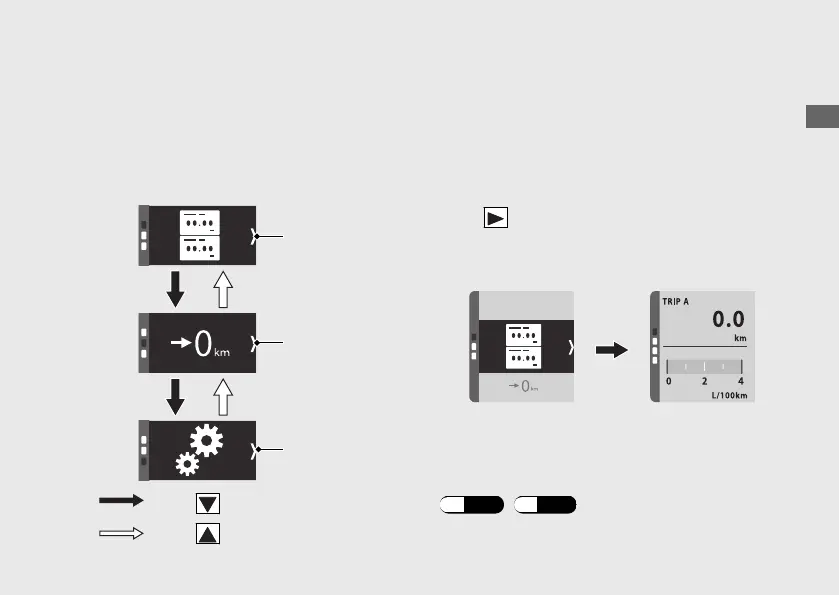
General Menu
You can select the following:
• Status mode
• Trip reset mode
• Setting mode
Status mode
The Status mode displays various vehicle
information.
The Status mode has four pages and displays
two pieces of information on each page.
Press on the sel switch while select the
status mode, display moves to vehicle
information page.
The information item displayed in the status
mode can be changed arbitrarily.
To change the information:
(P.44) (P.55)
Operation Guide
41
Continued
Press on the sel switch.
Status mode
Trip reset
mode
Setting mode
Press on the sel switch.







 To Next Page