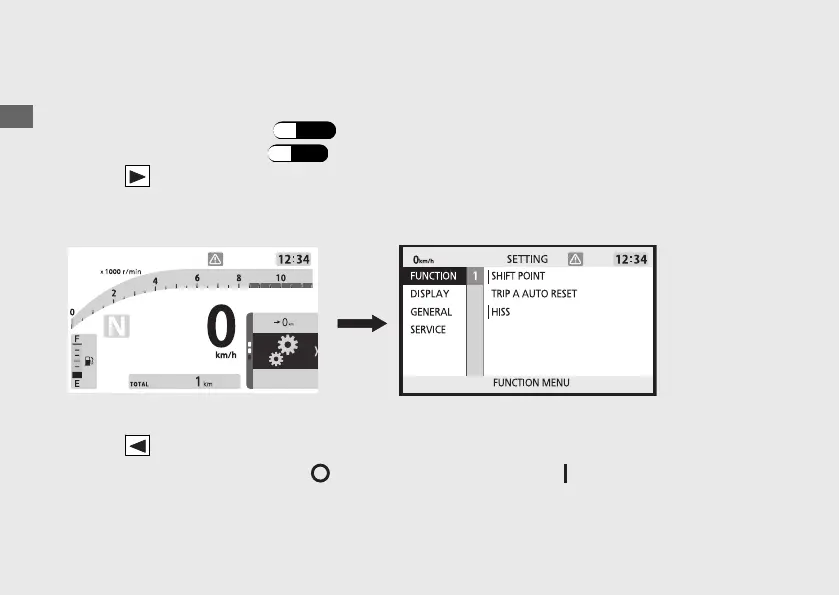
Setting mode
To shift to the setting mode
1.
Select the general menu. (P.40)
2.
Select the setting mode. (P.41)
3.
Press on the sel switch, and then display moves to the setting mode.
u Operation while driving is prohibited.
To return to the ordinary display
• Press on the sel switch until return to the ordinary display.
• Turn the ignition switch to the (Off) position, and then to the (On) position again.
Operation Guide
44
Instruments (Continued)
Ordinary display Setting mode








 To Next Page