#
Pairing your smartphone via
Bluetooth
®
a
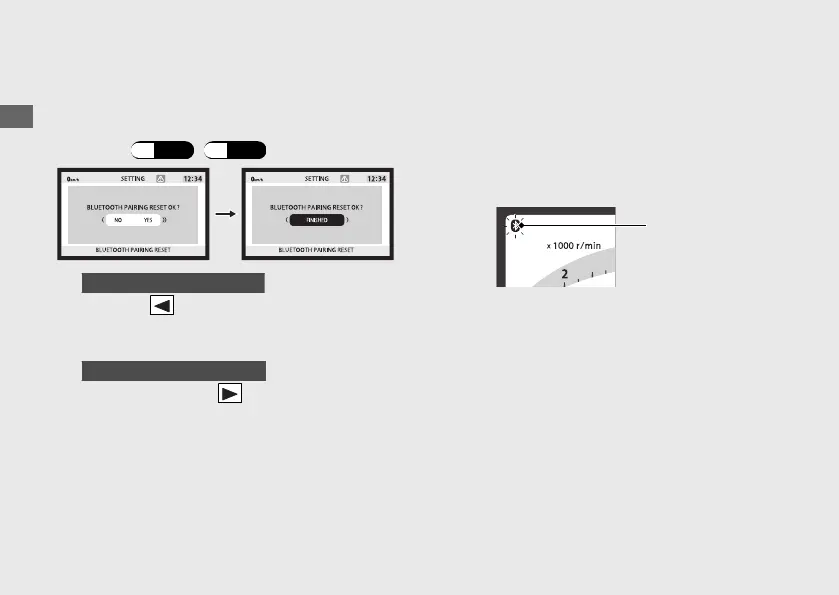
Select the BLUETOOTH PAIRING RESET
menu. (P.44
)
(P.62
)
b
When the “NO” is selected
Press the on the sel switch. The pairing
record is maintained, and then the display
returns to the upper level hierarchy.
When the “YES” is selected
Press and hold the on the sel switch. The
pairing record is reset.
c
After resetting, complete pairing while the
Bluetooth
®
indicator flashing by operated
the application on your smartphone.
u When the display returns to the ordinary
display, the Bluetooth
®
indicator is
flashing.
u For operation of the application, follow
the instruction of the application.
u Make a Bluetooth
®
pairing after stopping
at a safe place.
Operation Guide
86
Honda RoadSync (Continued)
Bluetooth
®
indicator



 To Next Page