340
uuAudio Error MessagesuPandora®
*
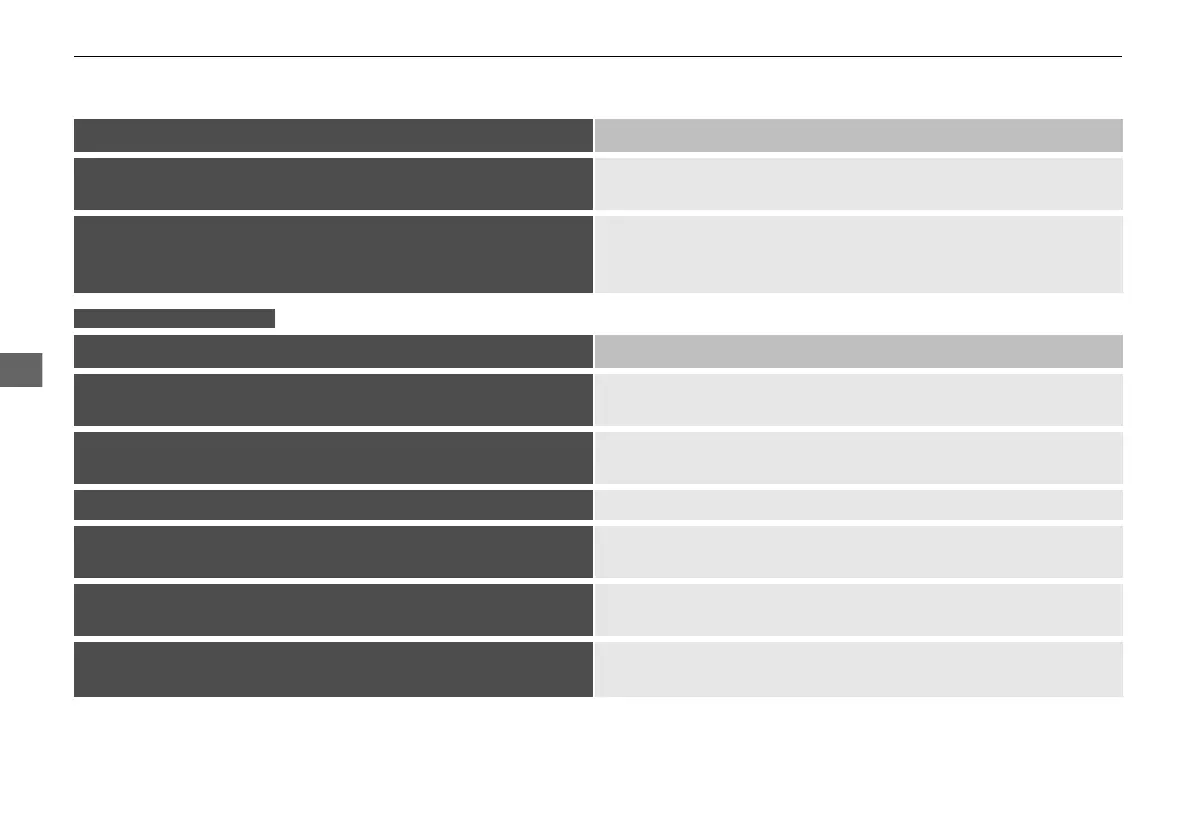
Error Message Solution
Unable to play PANDORA. Music licensing restricts play in
this area.
Appears when the vehicle is in the restricted area to listen the music.
Move the vehicle and check the reception of the signal.
Please check owners manual
Appears when an incompatible device is connected. In order to have
any problems on a connected device, there is a possibility that the
audio system cannot be recognized the device. Contact a dealer.
Error Message Solution
To begin listening, select a station from the Stations list.
Appears when there is no station list on the device. Use the device
to create a station.
Unable to rate track. Please try again.
Appears when you try to skip a song or select Like/Dislike over the
predetermined number of times in an hour.
Unable to play PANDORA. Please try again later. Appears when the commanded operation fails. Try again later.
No Data
Appears when no data is available with Pandora® activated. Reboot
the app and reconnect the device.
PANDORA App version is not supported.
Appears when Pandora® version is not supported. Update Pandora®
to the latest version.
PANDORA system maintenance.
Appears when the Pandora® server is in maintenance. Try again
later.
Models with Display Audio
21 CR-V PET ELP_MAP_HMIN_HCM-31TLA6400.book 340 ページ 2020年9月2日 水曜日 午後1時35分










 To Next Page