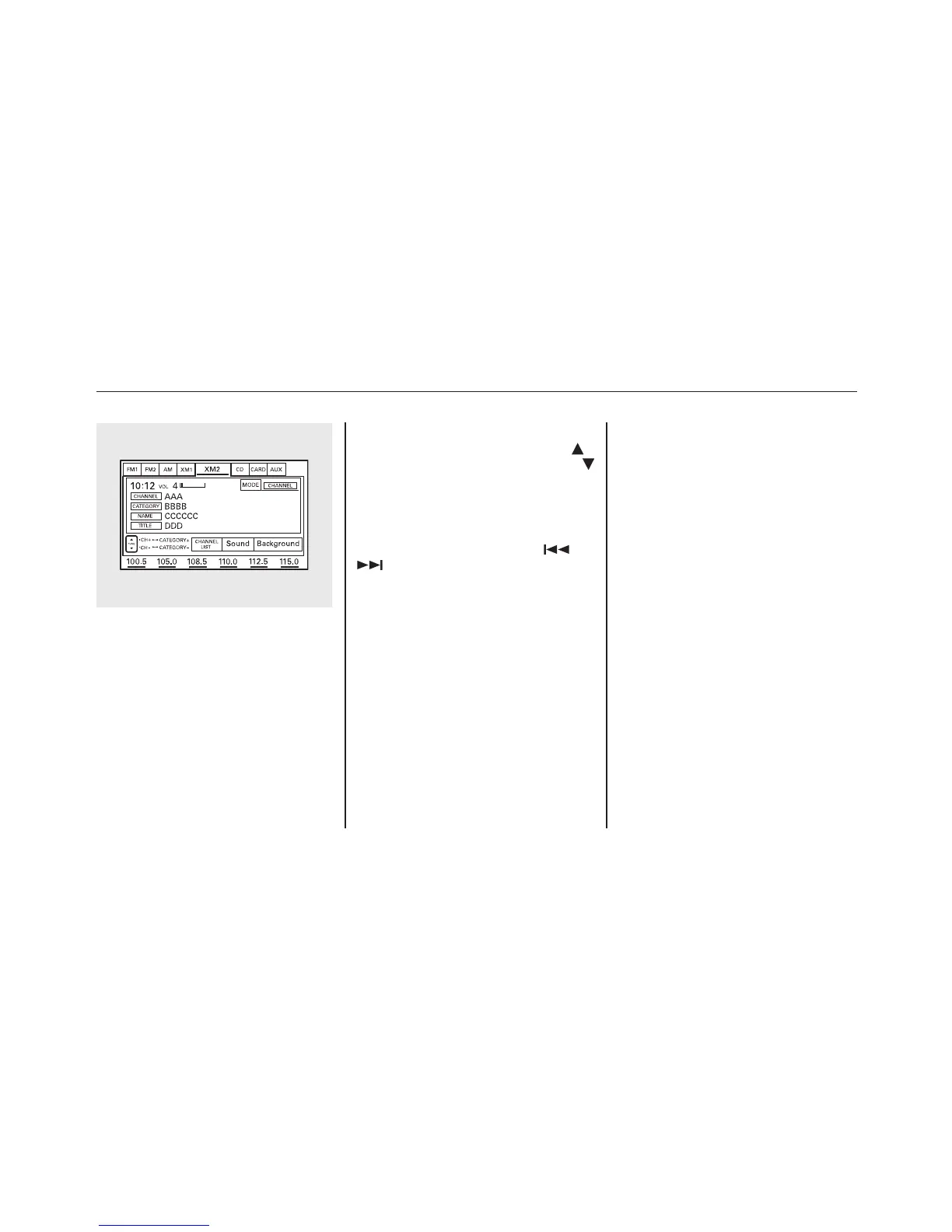
On the audio display, you will see the
selected CHANNEL (number),
CATEGORY, NAME (artist name),
and TITLE (music title).
You may experience periods when
XM Radio does not transmit the
artist's name and song title
information. If this happens, there is
nothing wrong with your system.
TUNE - Press the TUNE bar to
change channel selections. Press
for higher numbered channels and
for lower numbered channels. In the
category mode, you can only select
channels within that category.
CATEGORY - Press and hold
either side of the TUNE bar (
or
) until you hear a beep to select
another category.
SCAN - The scan function gives
you a sampling of all channels while
in the channel mode. In the category
mode, only the channels within that
category are scanned. To activate
scan, press the SCAN button or
touch the SCAN icon on the screen.
The system plays each channel in
numerical order for a few seconds,
then selects the next channel. When
you hear a channel you want to listen
to, press the button or touch the icon
again.
Preset - You can store up to 12
preset channels using each preset
button or preset icons on the screen.
Each preset button or icon stores one
channel from the XM1 band and one
channel from the XM2 band.
To store a channel:
1. Press the XM button. Either XM1
or XM2 will show in the display.
2. Use the tune, seek, or scan
function to tune to a desired
channel.
In category mode, only channels
within that category can be selected.
In channel mode, all channels can be
selected.
3. Pick the preset button (icon) you
want for that channel. Press and
hold the button (icon) until you
hear a beep.
Playing the XM
®
Radio (Models with navigation system)
134










 To Next Page