The specifications for compatible
WMA files are:
–
Sampling frequency:
32/44.1/48 kHz
–
Bitrate:
48/64/80/96/128/160/192 kbps
–
Compatible with variable bitrate
and multi-session
–
Maximum layers
(including ROOT): 8 layers
In WMA format, DRM (digital rights
management) files cannot be played.
If the system finds a DRM file, it
skips that file and plays the next
available folder or file.
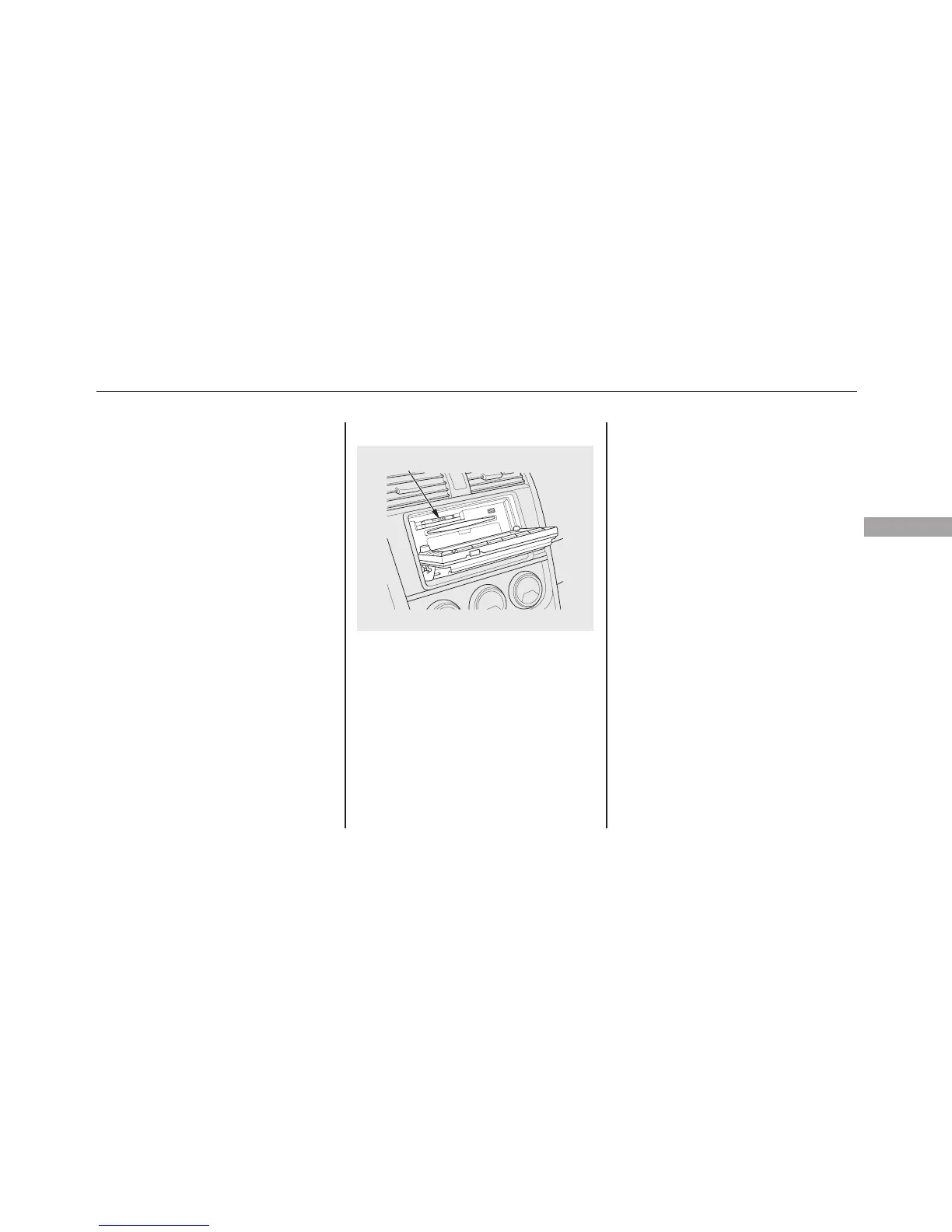
Loading a PC Card
The PC card slot is behind the
navigation screen. To use the PC
card player, press the OPEN button
beside the screen. The screen folds
back, and the PC card slot appears.
Insert a PC card straight into the slot.
The drive will read the PC card and
begin to play it.
Return the screen to the upright
position by pressing the CLOSE
button on the edge of the screen
panel.
Push the AUDIO button beside the
screen to show the audio display and
operate the PC card player.
You can also operate the audio
system without using the control
icons on the audio screen. Press any
of the appropriate control buttons.
The status bar appears on the bottom
of the screen. On the navigation
screen, you can see the audio
information whenever you touch the
AUDIO INFO icon on the screen.
PC CARD SLOT
CONTINUED
Playing a PC Card (Models with navigation system)
151
Features








 To Next Page