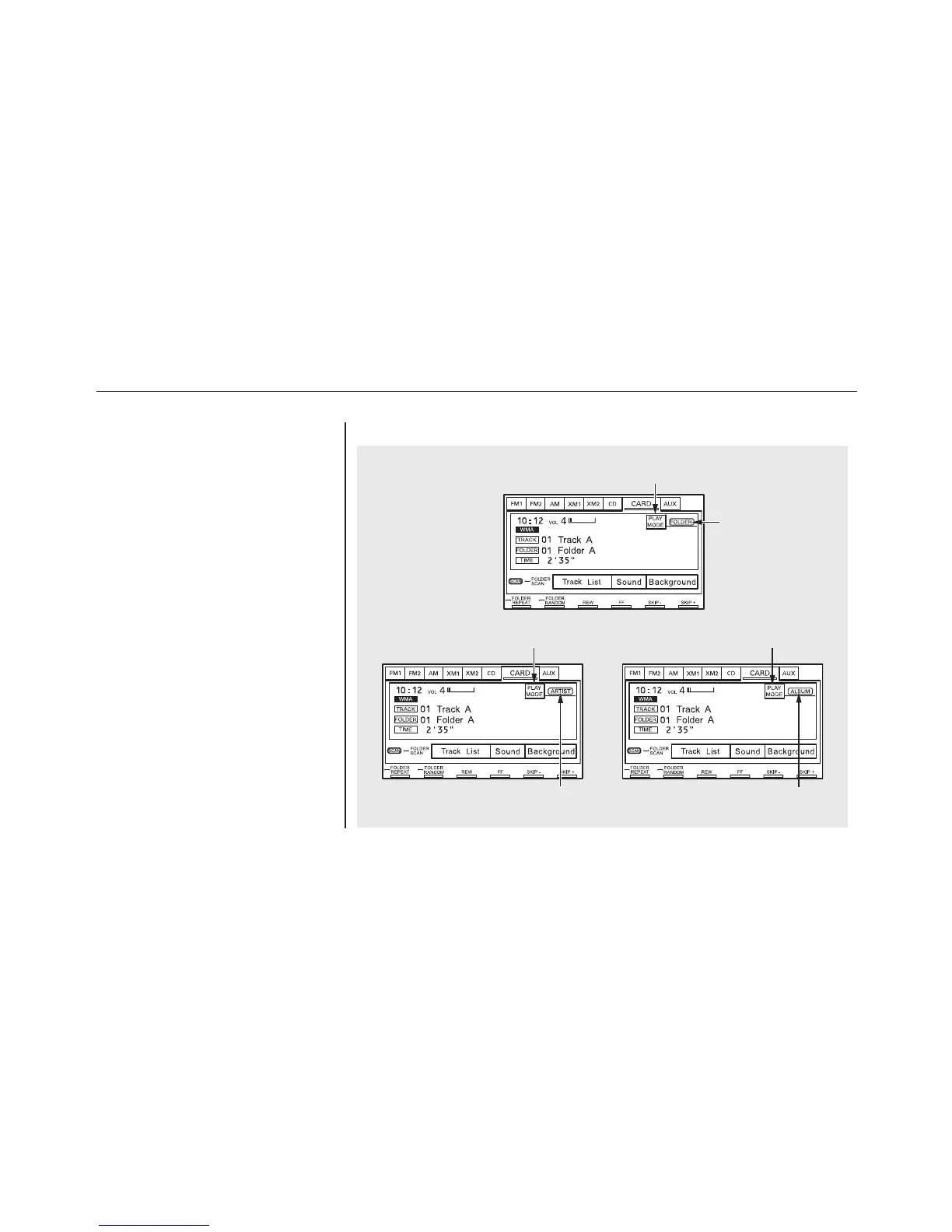
There are three play modes: Folder,
Artist, and Album. Touch the PLAY
MODE icon, then choose one of the
modes by touching its icon. When a
mode is selected, it is highlighted in
blue.
●
Folder mode plays tracks in the
order they were added to the card.
●
Artist mode plays tracks in
alphabetical order, by artist and
song title.
●
Album mode plays albums
(folders) in alphabetical order.
If play mode information was not
included in the tracks when they
were added to the card, it will not be
displayed on the screen.
To Select a Play Mode
ARTIST MODE
PLAY MODE ICON
FOLDER MODE
PLAY MODE ICON
ALBUM MODE
PLAY MODE ICON
MODE INDICATOR MODE INDICATOR
MODE INDICATOR
Playing a PC Card (Models with navigation system)
152








 To Next Page