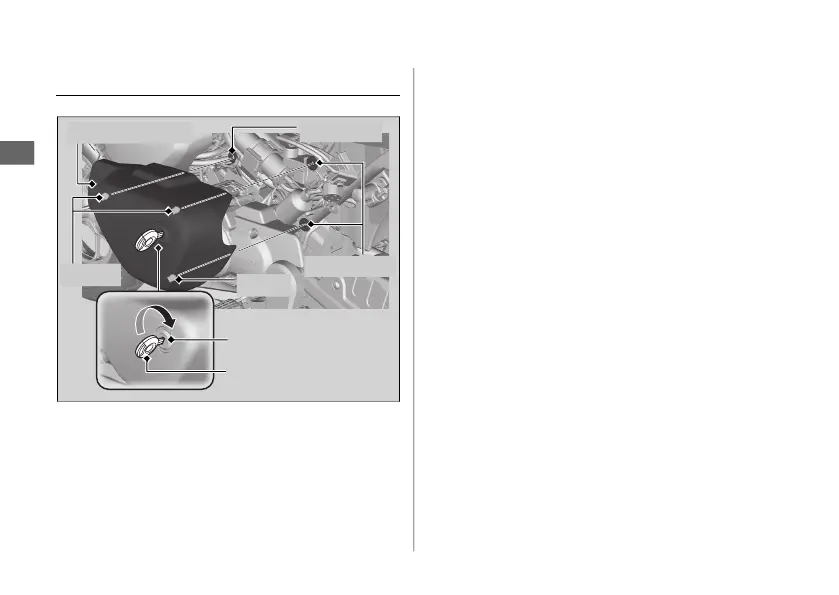
Removing & Installing Body Components u Left Side Cover
62
Maintenance
Left Side Cover
#
Removal
1.
Insert the ignition key into the lock.
2.
Carefully pull the left side cover out from
the grommets while turning the ignition
key clockwise.
#
Installation
1.
Align the prongs with the grommets.
2.
Push the left side cover into position while
turning the ignition key clockwise.
u Make sure that the left side cover is
locked securely in position by pulling it
lightly.
3.
Remove the ignition key.
Left side cover
Ignition key
Grommet
Prongs
Prong
Grommets
Lock











 To Next Page