111
uuIndicatorsuMulti-Information Display (MID) Warning and Information Messages
Continued
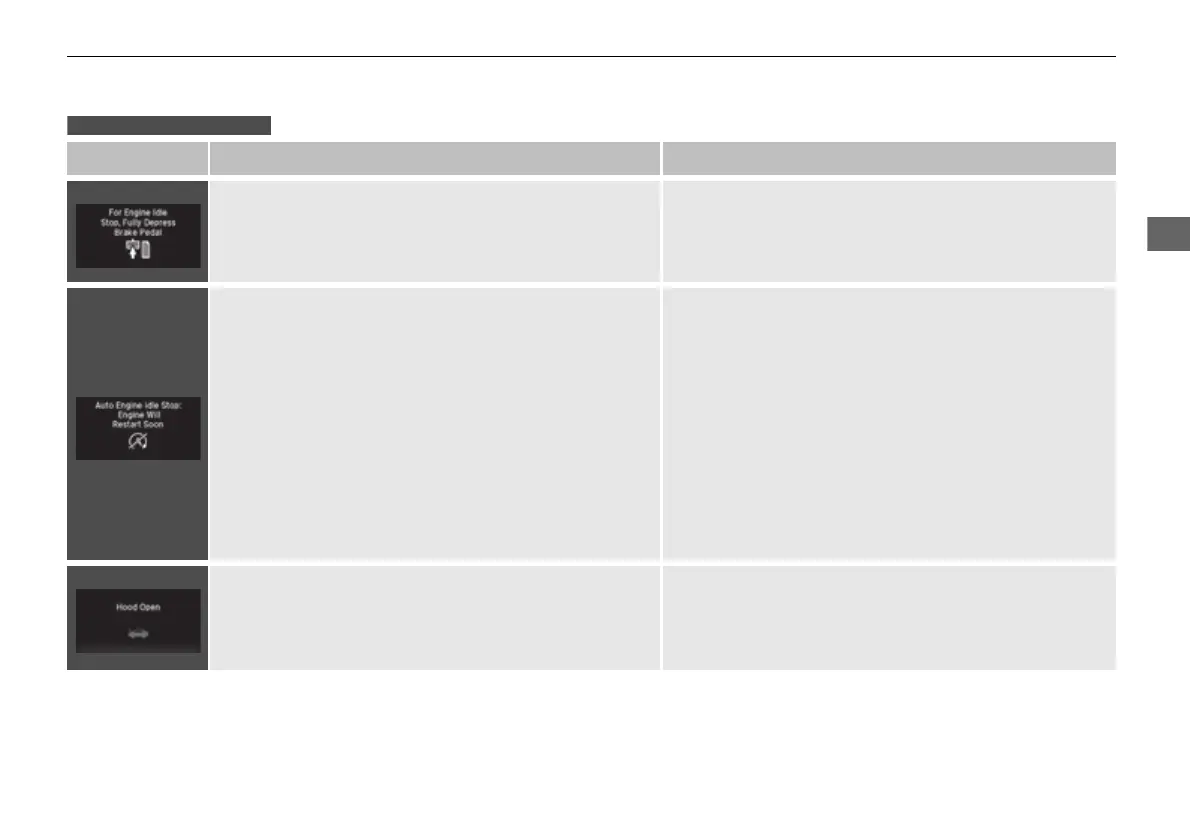
Message Condition Explanation
●
Appears when Auto Idle-stop does not activate because
the pressure to the brake pedal is not enough.
●
Depress the brake pedal firmly.
●
Appears when Auto Engine Idle-stop Guidance
Screens ON has been selected from the customization
menu.
●
Appears when the system is under the following
conditions while Auto Idle-stop activates:
●
The battery charge level is low.
●
The battery temperature is around 14°F (−10°C) or
lower.
●
The climate control system is in use, and the difference
between the set temperature and actual interior
temperature becomes significant.
●
The humidity in the interior is high.
●
The engine restarts automatically in a few seconds.
2 Starting the Engine P. 463
●
Appears when the hood is opened.
●
Close the hood.
Models with Auto Idle-stop
16 PILOT-31TG76000.book 111 ページ 2016年10月19日 水曜日 午後5時4分









 To Next Page